
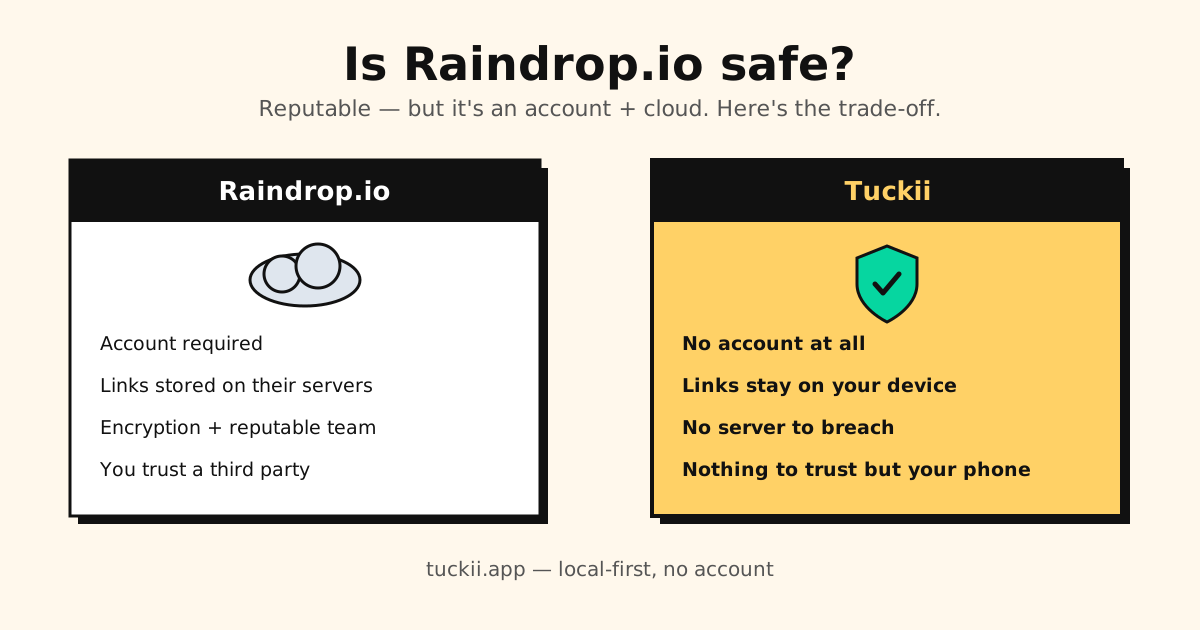
Short answer: yes, Raindrop.io is a reputable, well-run service — it’s been around for years, uses encrypted connections, and has a clear privacy policy. For most people it’s “safe” in the everyday sense.
But “is it safe?” really depends on what you’re worried about. Raindrop is, by design, an account plus the cloud — your bookmarks live on its servers. That’s fine for many users and a dealbreaker for others. Here’s the honest breakdown so you can decide.
Prefer not to trust any server with your links?
Tuckii is local-first: your bookmarks stay on your device, with no account to create or breach. Save from any app, free to use.
Download Tuckii free →How Raindrop.io handles your data
To work the way it does — syncing across your phone, browser, and the web app — Raindrop needs your data on its servers. In practice that means:
- An account is required (email/password or a social login).
- Your bookmarks are stored in Raindrop’s cloud, so they sync everywhere.
- Connections are encrypted in transit (HTTPS), and Raindrop publishes a privacy policy describing what it collects.
- The company is a small, long-running indie operation with a generally good reputation in the bookmarking community.
None of that is alarming. It’s the standard model for any cloud bookmark manager — the same one Pocket, Instapaper, and most others use.
The real question: what’s your threat model?
“Safe” isn’t one thing. With any account-plus-cloud service, three risks come bundled in — small for most people, but real:
- Breach risk. Any server that stores user data is a target. A reputable team lowers the odds, but the only library that can’t be breached on a server is one that was never on a server.
- Company longevity. This isn’t hypothetical for bookmark apps. Pocket shut down on July 8, 2025, and users scrambled to export before the window closed. Trusting one company’s cloud means trusting it stays online. (See Pocket vs Raindrop.)
- Visibility. Your saved links are a detailed map of your interests. On a cloud service, that map exists on someone else’s infrastructure, governed by their policies — not yours.
Again: for casual bookmarking, these are minor. If your saved links are sensitive (research, health, work, anything you’d rather no third party hold), they matter more.
Where Raindrop is genuinely a good choice
Let’s be fair — Raindrop earns its reputation:
- It’s feature-rich (tags, full-text search, collections, multiple media types).
- It has a real web app and browser extensions, so your library is reachable anywhere.
- The team has maintained and improved it for years.
If you want a powerful, cross-device library and you’re comfortable with a cloud account, Raindrop is a reasonable, safe-enough pick. If you’re weighing other options anyway, see the best Raindrop.io alternatives, picked by use case.
If you want zero third-party trust: go local-first
The most direct way to remove all three risks above is to not put your links on a server at all. That’s the local-first model, and it’s what Tuckii does:
- No account — nothing to sign up for, nothing to leak.
- Links stay on your device — there’s no central server holding your library, so there’s nothing to breach and no company whose shutdown can strand your data.
- You still get the good parts — save from any app via the share sheet, instant search, collections, a quick hold-to-action menu, and bulk organizing. Free to use every day; an optional Pro upgrade adds tags, full-collection sharing, and backup.
| Safety factor | Raindrop.io | Tuckii |
|---|---|---|
| Account / login | ✗ Required | ✓ None |
| Where your links live | ✗ Their cloud | ✓ Your device (+ your own iCloud if you sync) |
| Server breach exposure | Possible (any cloud) | ✓ No server to breach |
| Survives company shutdown | ✗ Cloud-dependent | ✓ Data is on your phone |
| Works offline | ✗ Cloud-dependent | ✓ Always |
The trade-off is honest: local-first means no web app and no browser extension. What you get instead is a library that’s yours — and with Tuckii Pro, one tap on Sync Now puts it on your iPhone, iPad and Mac through your own iCloud. Google Drive sync for Android is coming soon; until then, Android users move their library with a backup file. If you need a web app on every machine, Raindrop wins there. If privacy and “no one else holds my data” matter most, local-first wins. We dig into that choice in the private, local-first bookmark manager.
So — is Raindrop.io safe?
Yes, for everyday use: it’s reputable, encrypted, and well-maintained. Just go in clear-eyed that it’s a cloud account, with the usual (small) risks that come with trusting any server. If you’d rather not trust a server at all, a local-first app like Tuckii removes that question entirely.
Keep your links to yourself
Tuckii stores your bookmarks on your device — no account, no company cloud. Save from any app, free to use. Imports your Raindrop export in minutes.
Download free →For the full comparison, see the best Raindrop.io alternatives in 2026.