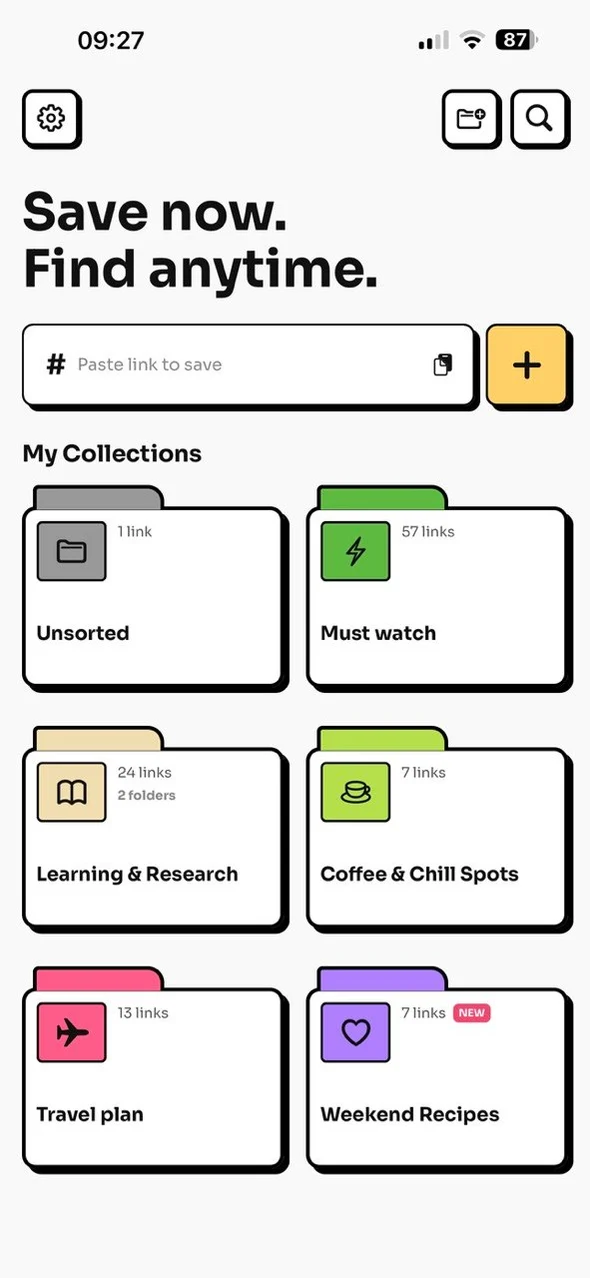



01
Another account just to save a link?
You don’t need one.
Open the app and start saving. No email, no password. If you ever upgrade, it goes through the App Store or Google Play.
The bookmark app for iOS and Android: save links and screenshots from any app into one private, searchable library. No account.

Scan with your phone's camera to get Tuckii
Free for everyday savingNo accountNo ads
That recipe on TikTok. The thread on X. The link you texted yourself. Good stuff ends up everywhere — and you never find it again.
Saved isn’t the same as used.
That’s me — show me the fix
Tuckii is a private, local-first bookmark manager and save-links app. Share it, organize it, find it — one private library on your device.
In TikTok, Instagram, Safari or Chrome, tap Share and pick Tuckii from the share sheet. Links and screenshots both work.
Title, preview and source are filled in for you. Pick a collection — Recipes, Travel, Read later — or let it wait in Unsorted.
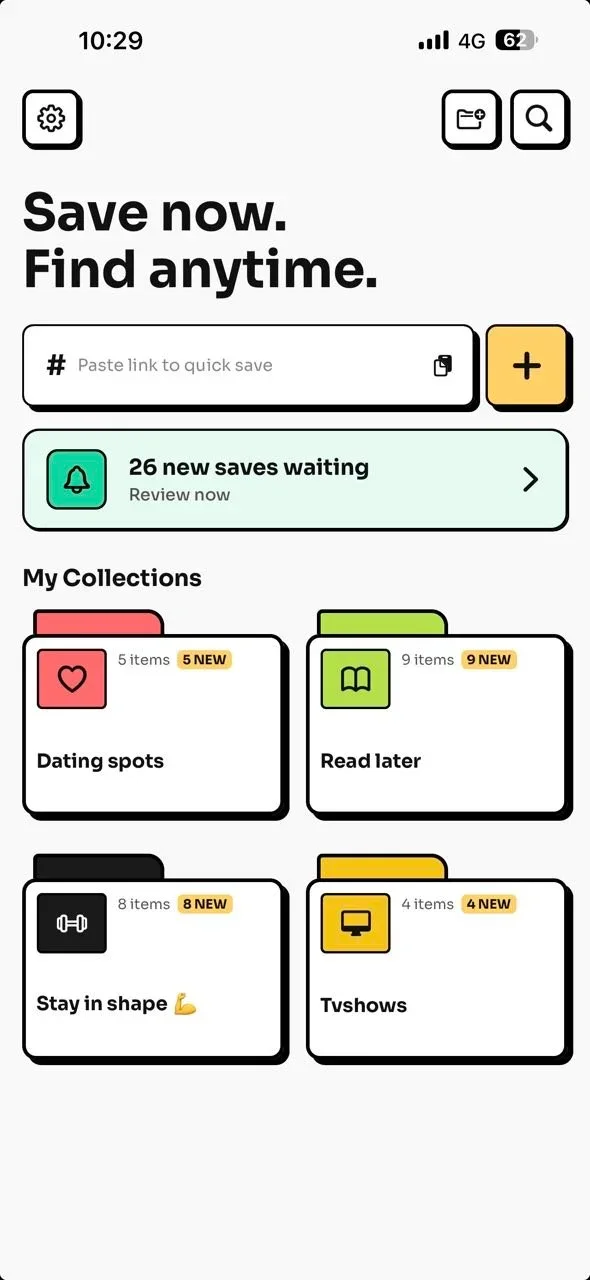
One search box for everything you saved, from every app. Filter by links, images or pinned. “Oh, there it is.”
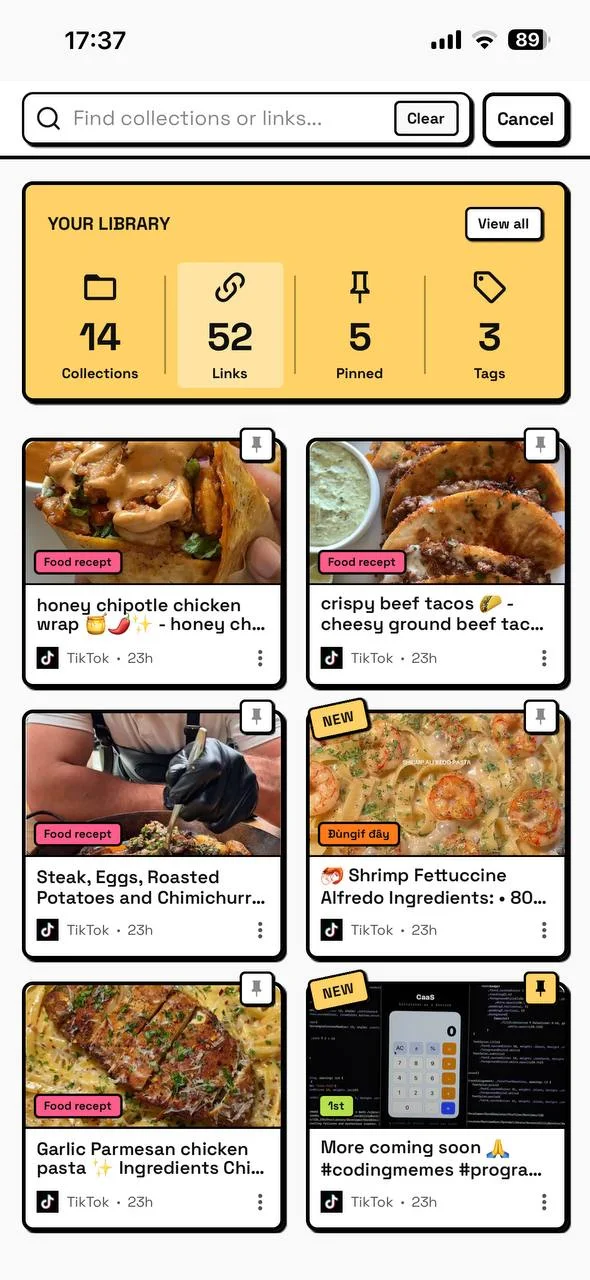
Swipe for steps 2 and 3 →
Try it with the next thing you save.
Takes a minute to set up. No account, nothing to sign.
Opens the App Store on iPhone, Google Play on Android
Most saved lists are where good stuff goes to be forgotten. Tuckii brings your new saves back to you — one at a time.
Both are part of the free app.
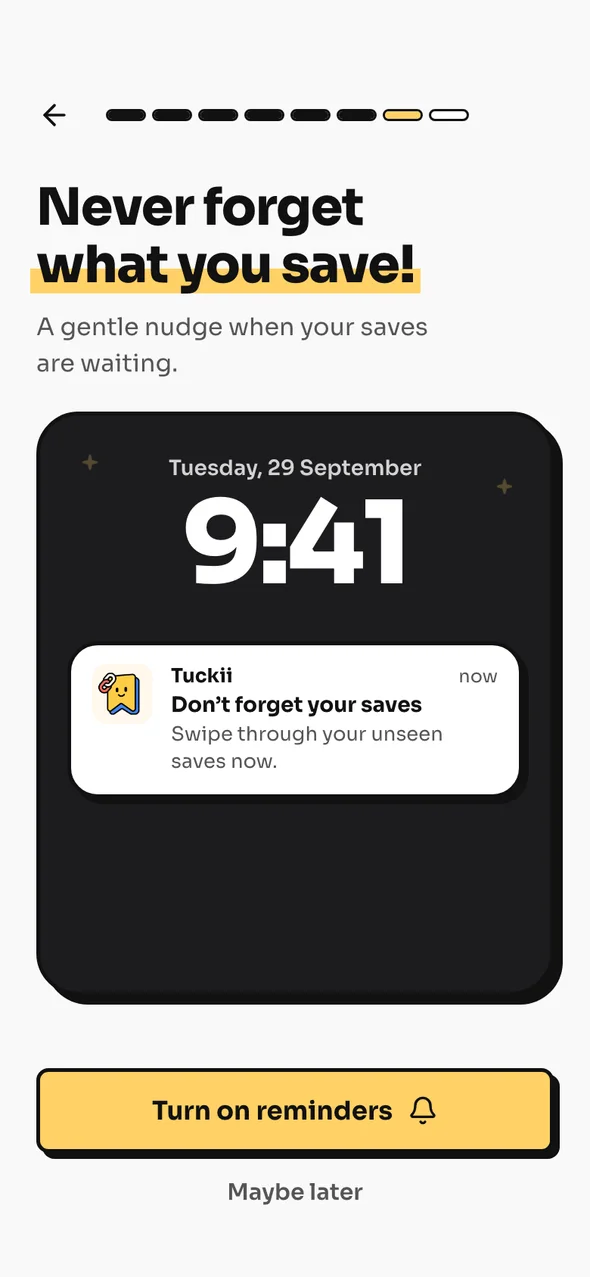
 Don’t forget your savesSwipe through your unseen saves now.
 Another account just to save a link?
Open the app and start saving. No email, no password. If you ever upgrade, it goes through the App Store or Google Play.
Cleaning up links one by one?
Select a whole batch of saves, then move or delete them in one go.
Leaving Pocket, Raindrop, or a browser?
Import from Pocket, Raindrop, browser bookmarks, or a CSV, HTML or JSON file. Tuckii detects the format for you.
Who can see what you save?
Tuckii is local-first: your library lives on your phone, not in a company cloud. With Pro, it can sync through your own iCloud on iPhone, iPad and Mac, or your own Google Drive on Android. Read the privacy details.
Everything to know before moving your saved links into Tuckii.
Yes. Tuckii is free to download and use every day — save links from any app, organize them into collections, and find them instantly, with no account. An optional Pro upgrade adds more for power users, like sync through your own iCloud or Google Drive, tags, full-collection sharing, and backup.
No. Tuckii is local-first, so your links are stored on your device — no sign-up or email. With Pro, it can also sync through your own iCloud (iPhone, iPad and Mac) or Google Drive (Android), still with no Tuckii account.
Yes, if you mostly save on your phone. Tuckii saves links from any app on iPhone and Android with no account, and it imports your Raindrop export (CSV or HTML). If you need a browser extension or a web app, Raindrop is still the better fit.
Yes. Tuckii lets you save links from any app, organize them into collections, and find them instantly — with no account required and your data staying on your device.
On your device, not on Tuckii's servers. With Pro, you can sync it across your devices through your own private iCloud on iPhone, iPad and Mac, or your own Google Drive on Android. Pro can also export a backup file. To build link previews, the app sends each saved link's URL to our preview service.
Yes, with Pro. Tap Sync Now and Tuckii brings your links, collections, tags and images across your iPhone, iPad and Mac through your own private iCloud, or across your Android phones and tablets through your own Google Drive. Your synced library stays in your own account, never on Tuckii's servers. iPhone and Android libraries stay separate, so to switch between them, use a backup file.
Tuckii is on the App Store for iPhone, iPad and Mac, and on Google Play for Android phones and tablets. Its share-sheet extension lets you save links from apps that have a share button.
Yes. Tuckii is free to download on iPhone, iPad, Mac and Android. Saving links, organizing collections, and search are available without creating an account.
Yes. Tuckii works with apps that expose a share button, including TikTok, Instagram, X, YouTube, Reddit, Safari, Chrome, newsletters, and podcast apps.
Yes. Share a screenshot or photo to Tuckii — right after you take it, or later from your photo library — and it lands in your library next to your links, stored on your device. Give it a name or a note so search can find it. The free plan includes a limited number of images; Pro removes the limit.
Yes. Turn on Dark Mode in Settings for a darker look that’s easy on the eyes, day or night. It’s part of the free app.
Yes. Sort your collections by oldest, newest, name or recently saved, and sort the saves inside a collection by newest, oldest, title or website. Tuckii remembers the order you pick for each collection. Sorting is free.
Tuckii is a private, local-first option for saving links from any app and finding them later. It also supports imports, so an existing library does not have to be rebuilt by hand.
 Compare apps Raindrop alternatives
 Android
 Pocket alternatives Privacy
 How to
Save from any app, search one private library, and start without an account.
Free for everyday saving. No ads. Your links stay on your device.