
Saving links on Android is more fragmented than it should be. Chrome has its own bookmarks. Samsung Internet keeps its own separate favorites. And the links you actually care about — the ones in TikTok, Instagram, Reddit, or a newsletter — have nowhere obvious to go at all. The result is the familiar mess covered in where your bookmarks are on your phone: saved links scattered across apps, none of them searchable together.
The fix is a dedicated bookmark app that plugs into Android’s share sheet so every link, from any app, lands in one place. Here’s what to look for and how to set it up.
Want the short version?
Tuckii is a bookmark app for Android that saves from any app’s Share menu into one searchable library — no account, no Google lock-in.
Get Tuckii free on Google Play →What makes a good Android bookmark app
Not all bookmark apps are built for how Android actually works. The ones worth using share four traits:
- Share-sheet support. This is non-negotiable. If the app can’t receive links from Android’s “Share via” menu, you’ll be stuck copy-pasting URLs forever.
- No Google account lock-in. Chrome bookmarks are tied to your Google account and sync to Google’s servers. A good standalone app keeps your library independent of any single account or ecosystem.
- Real search. Searching by title, description, and URL — not just title — is what turns a pile of links into something you can actually retrieve.
- On-device storage. Your saved links map your interests. Keeping them on your phone, not a company’s cloud, is both more private and more reliable (it works offline).
A bonus fifth: free to use day to day, with no account. We compare the options in detail in the best free bookmark manager, and across iPhone and Android in the best app for saving links.
How the options compare
Most Android phones already come with one or two ways to save a link. Here’s how they stack up against a dedicated app on the traits above:
| App | Saves from any app | Bulk actions | Account | Price |
|---|---|---|---|---|
| Chrome bookmarks | Browser only | Limited | Google, to sync | Free |
| Samsung Internet | Browser only | Limited | Samsung, to sync | Free |
| Raindrop.io | Yes | Partial | Required | Free + paid Pro |
| Tuckii | Yes — share sheet | Yes — hold to select | None | Free + optional Pro |
Honest notes: Chrome and Samsung Internet are fine for pages you’ll reopen in that same browser, but they can’t catch a link from TikTok or Instagram, and each keeps its own separate list. Raindrop.io is the strongest pick if you want one library shared between your phone and a laptop and don’t mind creating an account. (Pocket used to be the default answer here — Mozilla shut it down in 2025; see the best Pocket alternatives.) Where Tuckii stands apart is the phone-first combination: save from any app, select many links at once, and no account at all.
Looking for a Raindrop alternative on Android?
Raindrop.io has a good Android app, but it needs an account and keeps your library in its cloud. Many of the popular alternatives don’t help on Android: GoodLinks and Anybox are Apple-only, and Karakeep and Linkwarden have Android apps but need your own server or their hosted cloud.
If you want an Android bookmark app that saves from any app’s Share menu with no account, Tuckii is built for exactly that, and it imports your Raindrop export (CSV or HTML) under Settings → Import Bookmarks. For the full list by use case, see the best Raindrop.io alternatives.
How saving links works on Android
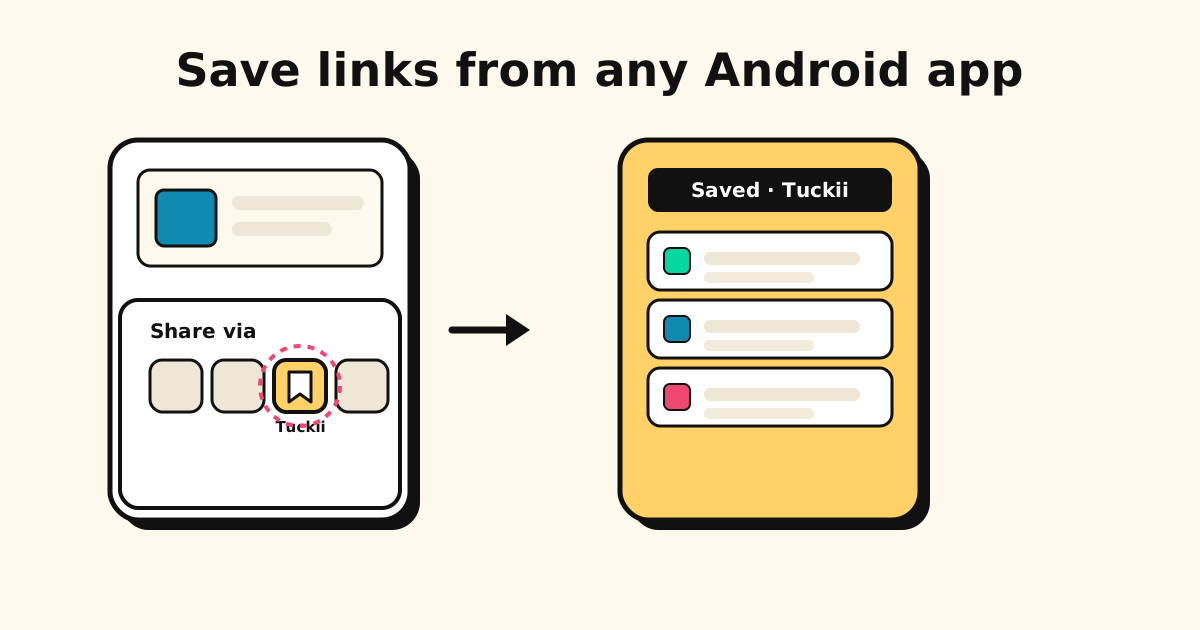
The thing that makes Android great for this is the share sheet — the “Share via” panel that slides up from almost every app. Once you have a bookmark app installed, saving a link is the same motion as sending it to a friend:
- Tap Share (or the share icon) on whatever you’re looking at.
- The Share via sheet appears with a row of app icons.
- Tap your bookmark app.
- The link is saved — done.
This works from Chrome, Samsung Internet, TikTok, Instagram, YouTube, Reddit, podcast apps, newsletters — anything with a Share button. That’s the whole point: one saving method for the entire phone, instead of a different bookmark list per browser. (TikTok deserves its own walkthrough — see how to save TikTok videos to watch later.)
Tip: Android lets you “pin” your most-used share targets to the top row of the share sheet on many phones. Pin your bookmark app there and saving drops to a single, predictable tap every time.
Tuckii: a bookmark app built for Android’s share sheet
Tuckii is designed around exactly this flow. It hits all four traits above:
- Saves from any app via the Android share sheet — browsers and social apps alike.
- Keeps screenshots too — share a screenshot or photo in and it lands next to your links. Name it, and search finds it.
- No account, no Google lock-in — open it and start saving; your library isn’t tied to your Google account.
- Search across everything — titles, descriptions, and URLs, all collections at once.
- On-device storage — your links live on your phone, not a Google server. (More on why that matters in the private, local-first bookmark manager.)
And it’s free to use day to day, with no sign-up wall: saving, collections, and search work without an account, and an optional Pro upgrade adds more (tags, full-collection sharing, backup) when you want it.
Setting it up (about two minutes)
- Install Tuckii from Google Play — no account to create.
- Open any app and tap Share on a link or post.
- Tap Tuckii in the Share via sheet; the link saves with its title, description, and thumbnail.
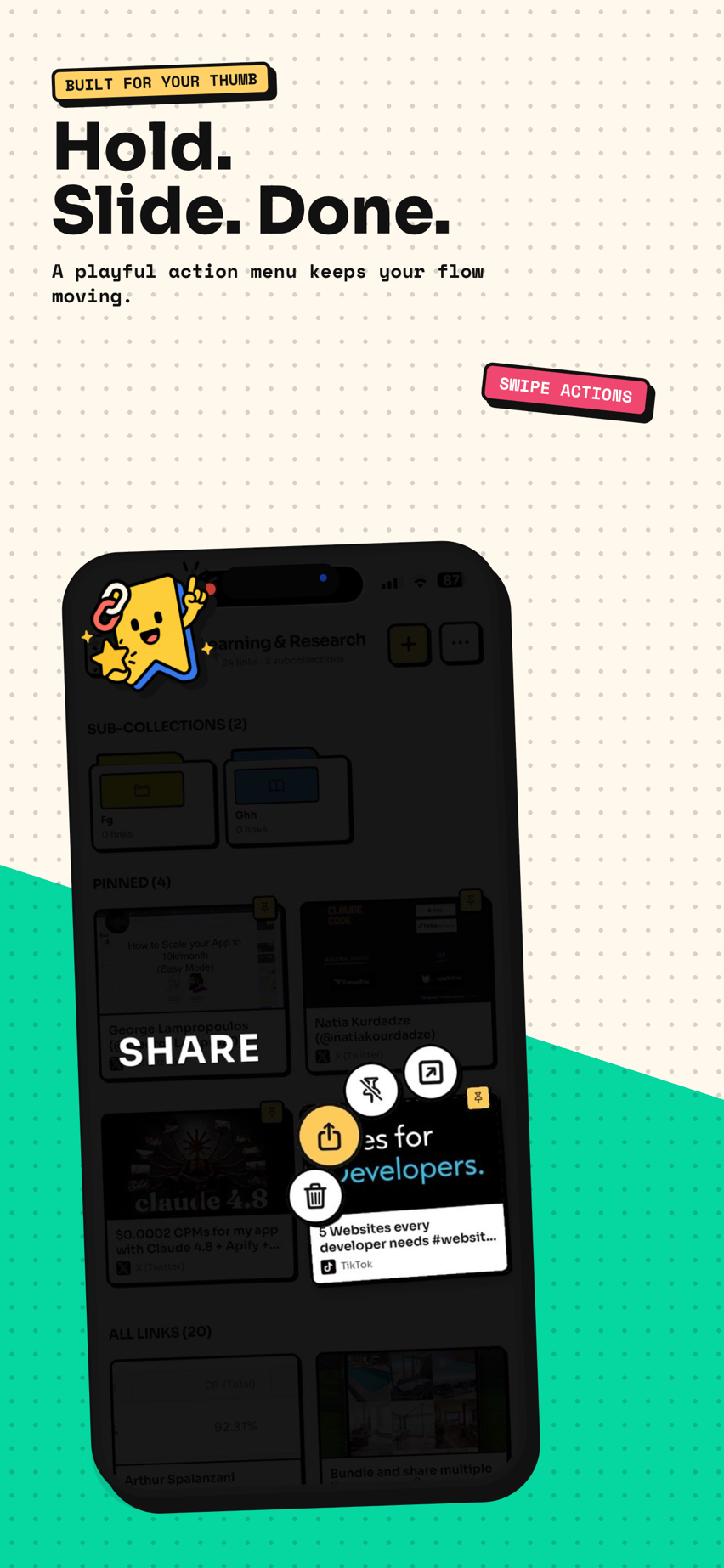
- Organize later — long-press a link to move, share, or delete it, and use search when you can’t remember where you put something.
The habit that makes it stick is the same on every platform: once saving is one tap from any app, your library grows on its own instead of staying empty.
One bookmark app for your whole Android phone
Save links from Chrome, Samsung Internet, TikTok, Instagram, and any app into one private, searchable library. Free, no account, no Google lock-in.
Get Tuckii free on Google Play →Not sure which app has the link at all? See where to find bookmarks on your phone — and if you’re switching devices soon, how to transfer bookmarks to a new phone. On iOS? Here’s the best bookmark app for iPhone.