
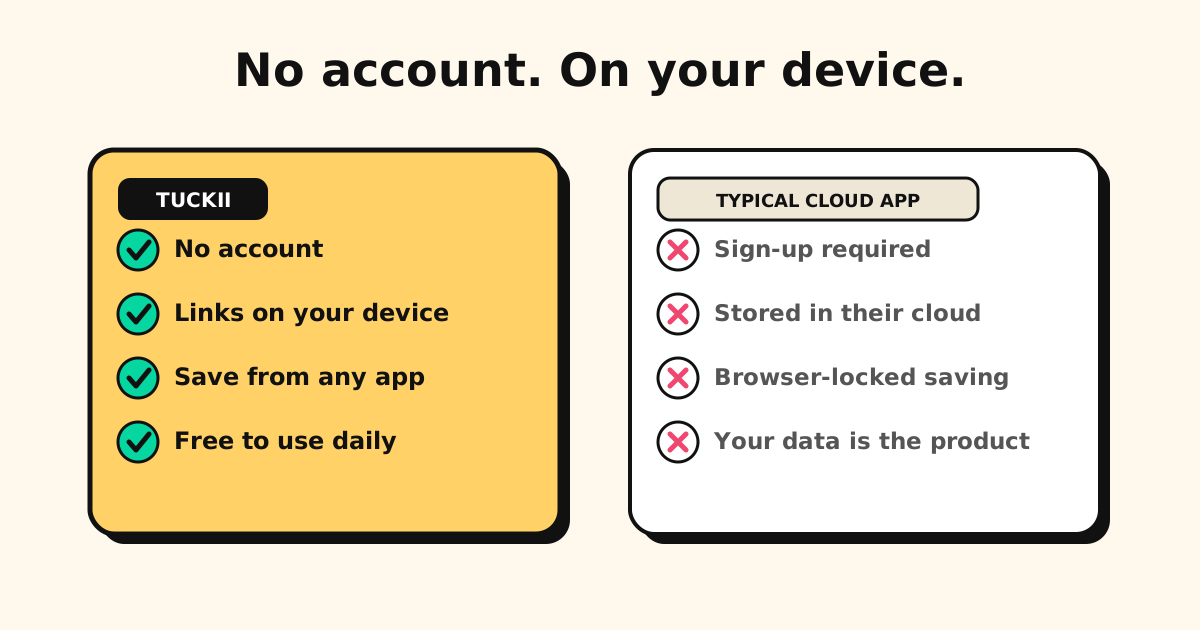
Quick answer: the best free bookmark manager depends on where you save from. On a computer, your browser’s built-in manager is free and fine for a few hundred sites; Raindrop.io has a generous free cloud plan across browsers and devices. If most of your links come from apps on your phone, a phone app like Tuckii — free for everyday use, no account, links stored on your device — fits better. Comparison and picks by need below; for paid options too, see the best app for saving links.
Search “free bookmark manager” and you’ll find a dozen apps that all say free on the label. Install a few and the word starts to wobble: one needs an account before you can do anything, one keeps your reading history on its servers, one is free this year until the next pricing email.
Here’s the honest truth most “best free” lists skip: nearly every real bookmark manager — Tuckii included — is freemium. So “is it free?” isn’t really the question that separates them. The questions that matter are: does it need an account, where does your data live, and how good is the free experience day to day? This guide breaks those down.
Want a free bookmark manager with no account?
Tuckii lets you save links from any app, organize them, and find them instantly — free to use every day, no sign-up, and your links stay on your device.
Download Tuckii free →Two kinds of bookmark manager: browser or phone
Before comparing apps, notice that “bookmark manager” means two different tools, and most “best of” lists mix them up:
- Browser bookmark managers organize the pages you open in a browser on a computer — Chrome’s built-in manager, Safari’s bookmarks, and extensions or web apps like Raindrop.io. Their strength is the desktop: drag-and-drop, the bookmarks bar, keyboard shortcuts.
- Phone bookmark managers catch links from apps — TikTok, Instagram, Reddit, YouTube, group chats — through the share sheet. On a phone, that’s where most saving happens, and browser bookmarks never see those links.
So the first question isn’t which app is best — it’s where you save from. Many people need the browser’s built-in tool on their laptop and a phone app, not one tool for both.
The three kinds of “free”
When a bookmark manager says it’s free, it’s usually one of these:
- Freemium. Free to use, with an optional paid tier that adds more (more saves, advanced features) for heavier users. Most good apps work this way — the question is whether the free tier is actually usable day to day, or just a teaser.
- Free, but you’re the product. No price tag, but you must create an account, and your saved links (a detailed map of your interests) live on the company’s servers, where they can be analyzed or monetized.
- Free and unlimited. No price, no usage cap — but in practice this basically only describes your browser’s built-in bookmarks, which come with their own problems (more on that below).
The trick is telling them apart before you’ve moved 200 links into something that turns out to require an account you didn’t want.
The hidden costs of a “free” bookmark manager
Price isn’t the only thing you pay. Watch for these:
- Mandatory accounts. An email-and-password gate usually exists so your data can sync to a server — which means it’s a server’s job to keep your reading habits, and your job to hope they never get breached.
- Cloud lock-in. If your library only lives in someone’s cloud, you’re trusting that company to stay in business. Pocket didn’t — more on that below.
- Subscription creep. Search, the feature that makes a bookmark library usable, is a surprisingly common “premium” upsell in some apps.
- Data resale. If the business model isn’t a subscription and isn’t ads, your aggregated behavior may be the product.
Free bookmark managers compared
| App | Price | Account? | Free tier | Where data lives |
|---|---|---|---|---|
| Tuckii | Freemium | No | Usable daily | Your device |
| Raindrop.io | Freemium | Yes | Usable daily | Their cloud |
| Instapaper | Freemium | Yes | Usable daily | Their cloud |
| Browser bookmarks | Free | For sync | Unlimited | Browser account |
| Shut down | — | — | — |
A note on fairness: Raindrop.io and Instapaper are good apps, and their paid tiers are reasonable. But notice the columns where the real differences are — every app here is freemium, so the meaningful split is account and where your data lives. Tuckii is the only option with no account and your library stored on your own device.
Browser bookmarks are genuinely free and unlimited, but they come with the problem covered in our guide on where your bookmarks are on your phone: they’re trapped in one browser, unsearchable by content, and can’t capture links from apps like TikTok or Instagram.
And Pocket, long the default answer, shut down in July 2025, which is exactly why so many people are hunting for a replacement right now.
Which free bookmark manager should you pick?
| If you… | Pick | Why |
|---|---|---|
| Mostly save on a computer, in one browser | Your browser’s built-in manager | Free, already there, syncs with your browser account. Organize it with folders — here’s how in Chrome. |
| Want one cloud library across browsers and devices | Raindrop.io | Extensions, web and mobile apps, a usable free plan. Needs an account; your library lives in its cloud. |
| Mainly want to read articles later | A read-later app (e.g. Instapaper) | Built around a reading view rather than organizing links. Account required. |
| Save most links from apps on your phone | Tuckii | Share sheet from any app, collections, instant search. No account; links stay on your device. No browser extension, Windows or web app. |
Best bookmark manager for Chrome? For most people, Chrome’s own manager (Ctrl+Shift+O, or Cmd+Option+B on Mac) plus a handful of well-named folders is enough. If you outgrow it — you want tags, previews, or the same library in Safari or Firefox — a cloud manager with a Chrome extension, like Raindrop.io, is the usual next step. Tuckii isn’t a Chrome extension; it’s for the links you save on your phone.
Cross-platform? Cloud managers win if you need your links on a Windows PC or in a web browser. Tuckii runs on iPhone, iPad, Mac and Android and keeps your library on your own devices — and with Pro, one tap on Sync Now brings it to your iPhone, iPad and Mac through your own iCloud, never a company server. Google Drive sync for Android is coming soon.
Why “no account” is the feature that matters most
Free-as-in-price is common. Free-as-in-no-strings is rare — and the string that matters most is the account.
The moment an app requires a login, three things become true:
- Your saved links live on someone else’s server.
- That server is now a target — every account is a potential breach.
- The company can see, analyze, and potentially monetize what you save.
A local-first app skips all of that. Your links are stored on your device, the app works offline, and there’s no account to create, secure, or delete. (We go deeper on this in the private, local-first bookmark manager.)
The test that actually matters: can you use it every day without creating an account or handing your saved links to a company’s server? If your library lives on your device and there’s no login, that’s the freedom worth optimizing for.
Tuckii: free for everyday use, no account, yours
Tuckii is built to pass that test. It’s free to download and use on iPhone and Android, and for everyday saving it’s genuinely all you need — no account, nothing to sign up for:
- No account — open the app and start saving immediately.
- On-device storage — your library lives on your phone, not a server.
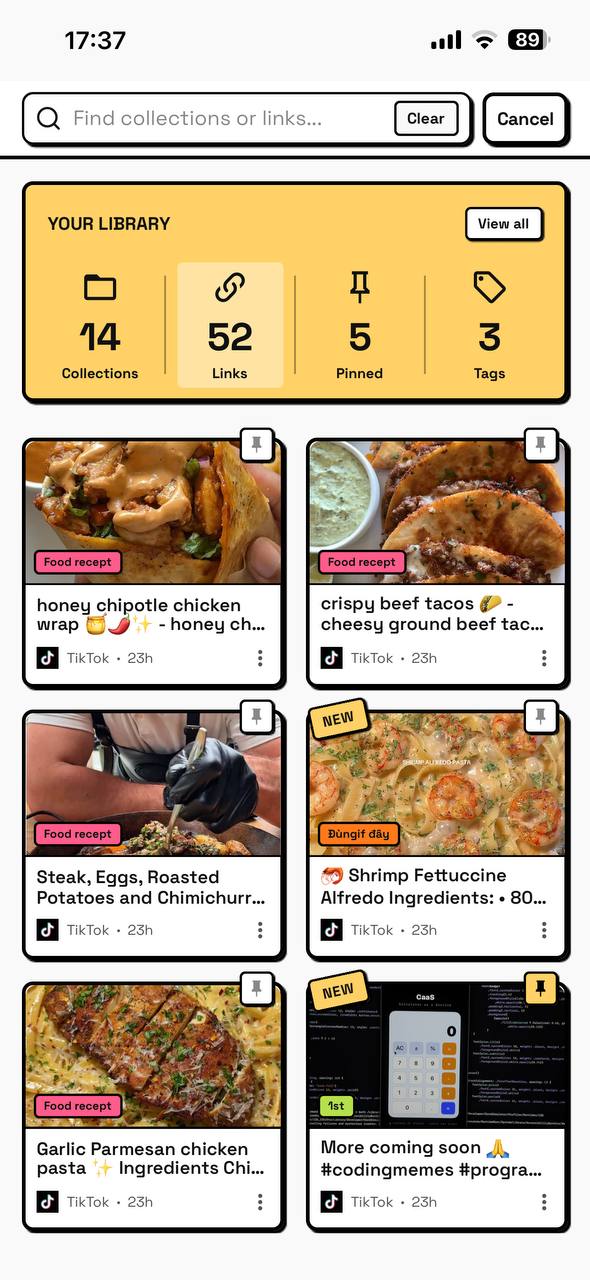
- Save from any app — a share-sheet button means links from browsers, TikTok, Instagram, YouTube, and newsletters all land in one place.
- Screenshots next to links — share a screenshot or photo in and it’s stored on your phone with everything else (the free plan includes a limited number of images).
- Find instantly — search across everything you’ve saved in a second.
- A genuinely nice app to use — a Pinterest-style hold-to-action menu for quick edits, bulk selection to tidy up many links at once, and a clean, modern design that feels good day to day.
If you save a handful of links a day and want them organized and searchable without an account, the free tier covers it — indefinitely. For power users who save heavily or want extras like iCloud sync across iPhone, iPad and Mac, tags, full-collection sharing, and backups, there’s an optional Pro upgrade. It adds more; it isn’t a wall in front of the basics.
Switching from another manager? Export from it first — Raindrop.io and every browser can produce a CSV or HTML file, and a Pocket export you saved earlier works too — then open Settings → Backup & Restore → Import Bookmarks in Tuckii. It recognizes those formats automatically. The free plan imports a starter batch; Pro imports the whole file.
A free bookmark manager with no account
Save from any app, organize, and find anything in seconds — free to use every day, and your links stay on your device. Free on iPhone and Android.
Download free →