
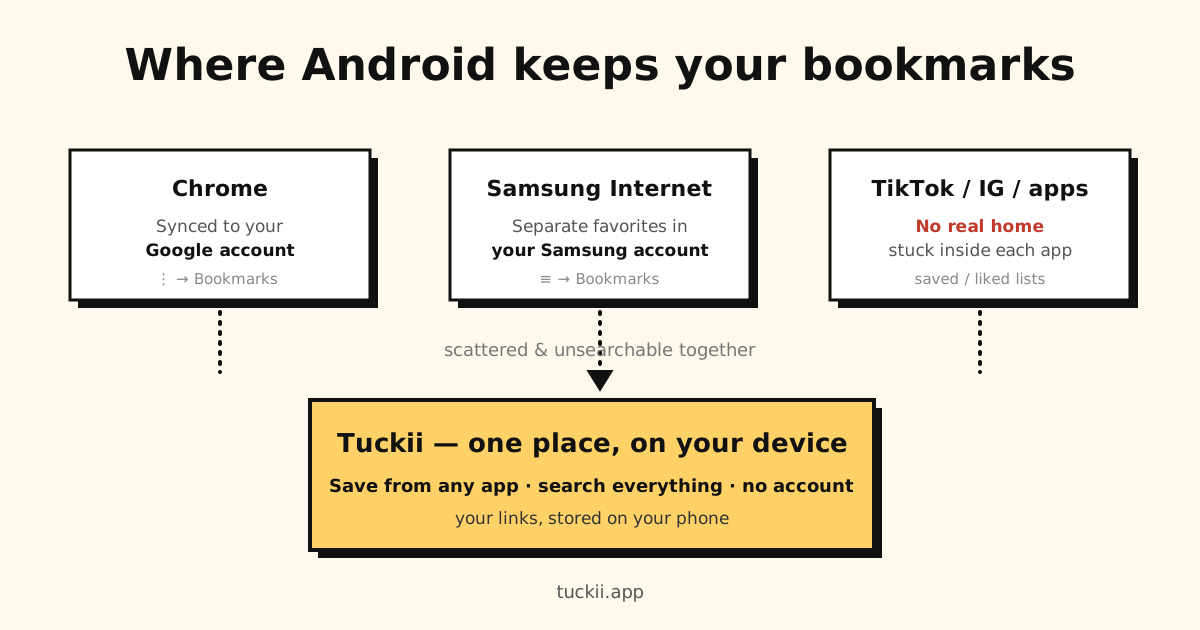
Quick answer: in Chrome, tap ⋮ → Bookmarks; in Samsung Internet, tap ☰ → Bookmarks. Android has no single bookmarks folder — each browser stores its own list (Chrome in your Google account, Samsung Internet in your Samsung account), which is why saved links feel scattered.
Here’s where each one actually lives, how to find it, and how to stop hunting across apps.
Looking for the steps to open your bookmarks on any phone? See where are my bookmarks on my phone. This guide is about where they’re stored on Android specifically.
Chrome: stored in your Google account
Chrome is the default browser on most Android phones, and its bookmarks are tied to your Google account:
- On your phone: they’re saved locally in Chrome’s app data and, if you’re signed in with sync on, uploaded to your Google account.
- In the cloud: synced bookmarks live in your Google account and appear at chrome://bookmarks on any Chrome where you’re signed in with sync on. (The old google.com/bookmarks page was shut down in 2021 and doesn’t show them.)
To open them, tap by tap:
- Open Chrome.
- Tap the ⋮ menu (top right) → Bookmarks.
- Open Mobile bookmarks (or another folder), or tap the search icon to find one by name.
So if you switch phones but sign into the same Google account, your Chrome bookmarks follow you — the full move-day checklist is in how to transfer bookmarks to a new phone. If they don’t follow you, that’s a sync problem: why Chrome bookmarks stop syncing. And if you’re not signed in, they only exist on that one device. (Full detail, including the desktop file location: where are Chrome bookmarks stored.)
Samsung Browser (Samsung Internet): stored in its own favorites (and Samsung account)
If you use a Samsung phone, Samsung Browser — called Samsung Internet until 2026 — keeps a completely separate set of bookmarks (“favorites”) from Chrome:
- They’re stored in Samsung Browser’s own app data, and can sync to your Samsung account through Samsung Cloud (Settings → tap your name → Samsung Cloud), not to your Google account.
To open them, tap by tap:
- Open Samsung Browser (on newer phones the icon may just say Browser).
- Tap the ☰ menu (bottom right), or the bookmarks icon in the bottom bar.
- Tap Bookmarks.
This is the #1 reason Samsung users “lose” bookmarks: they saved them in one browser and are looking in the other. (How to find them, and how to export Samsung Internet bookmarks to a file or import Chrome’s in.)
Tired of checking three browsers to find one link? That’s the actual problem here — Android doesn’t have one bookmark list, it has one per app. Tuckii gives you a single searchable library on your device for links from Chrome, Samsung Internet, TikTok and anywhere else. Free, no account.
Other browsers (Firefox, Edge, Brave…)
Each keeps its own bookmark store, synced to that browser’s own account (a Firefox account, a Microsoft account, etc.). There’s no shared Android bookmark database they all read from.
Links inside apps (TikTok, Instagram, YouTube…) — barely stored at all
The links you care about most often aren’t in a browser at all. A video you saved in TikTok, a post you bookmarked in Instagram, a reel you liked — those live inside each app’s own “saved” list, not in any bookmark system. They’re the hardest to get back because they’re locked in the app you found them in. (For the TikTok case specifically: how to save TikTok videos to watch later.)
The takeaway: Android scatters your bookmarks by design
There’s no single “Android bookmarks” location. Your links are split across:
- Chrome → your Google account
- Samsung Internet → your Samsung account
- Every other browser → its own account
- Apps → their own saved/liked lists
Finding any one link means remembering which app you were in — and you can’t search across them together. (Deleted one by accident? See how to find and recover bookmarks on Android.)
Keep them in one place: a bookmark app on your device
The fix isn’t another browser — it’s a dedicated bookmark app that any app can send links to. That’s what Tuckii does:
- Save from any app via the Android share sheet — Chrome, Samsung Internet, TikTok, Instagram, YouTube, anything with a Share button.
- Stored on your device — your library lives on your phone (not split across Google’s and Samsung’s clouds), and works offline.
- One searchable place — find any saved link by title, description, or URL, across everything.
- No account — open it and start saving. Free to use every day; an optional Pro upgrade adds more (tags, full-collection sharing, backup, Google Drive sync).
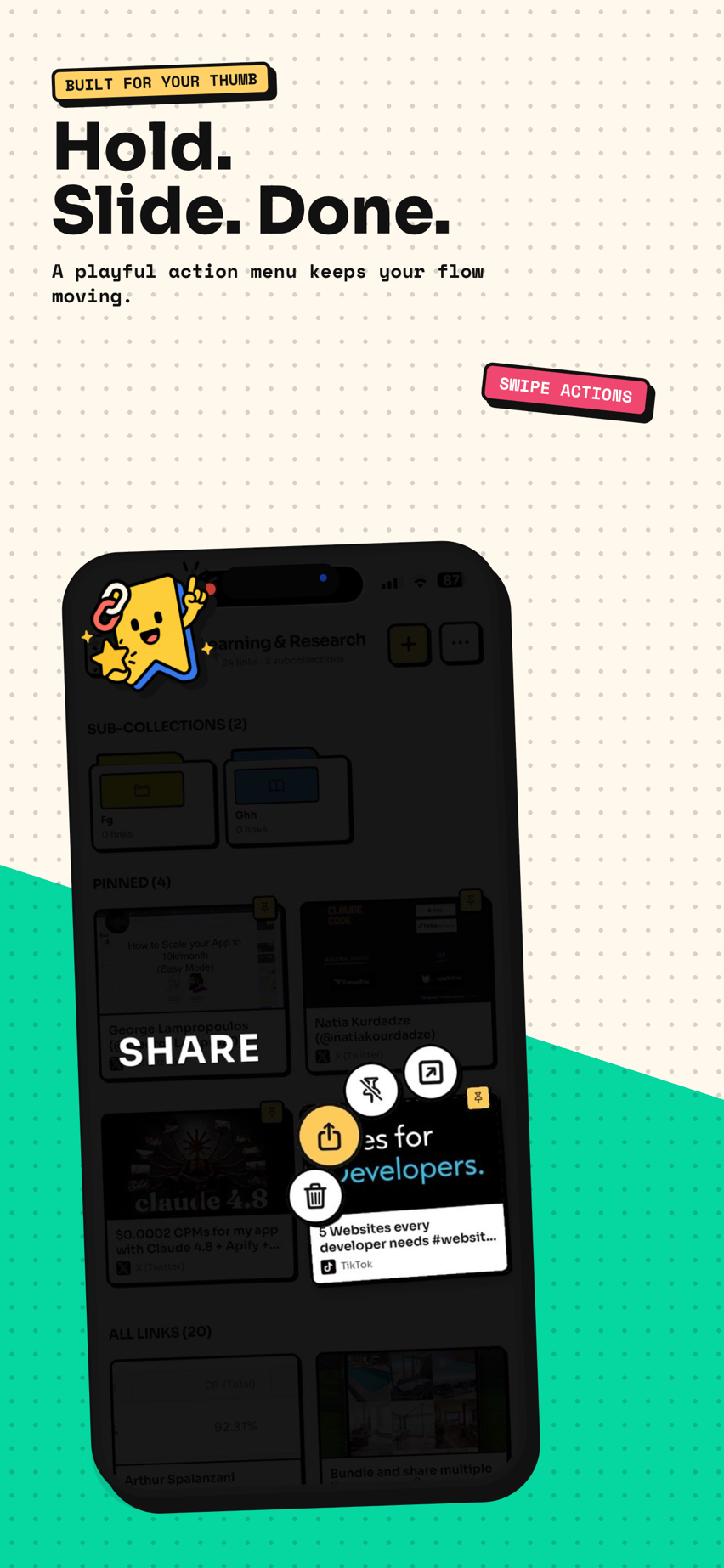
Instead of asking “which app did I save that in?”, everything lands in one place you control. See the full setup in the best bookmark app for Android, compare the no-account options in the best free bookmark manager, or see how saving from social apps works in save links from any app.
Stop hunting across browsers and apps
Tuckii keeps every saved link in one place on your Android device — no account, searchable, from any app.
Get Tuckii free on Google Play →If you’ve deleted some by mistake, see how to find and recover bookmarks on Android.