
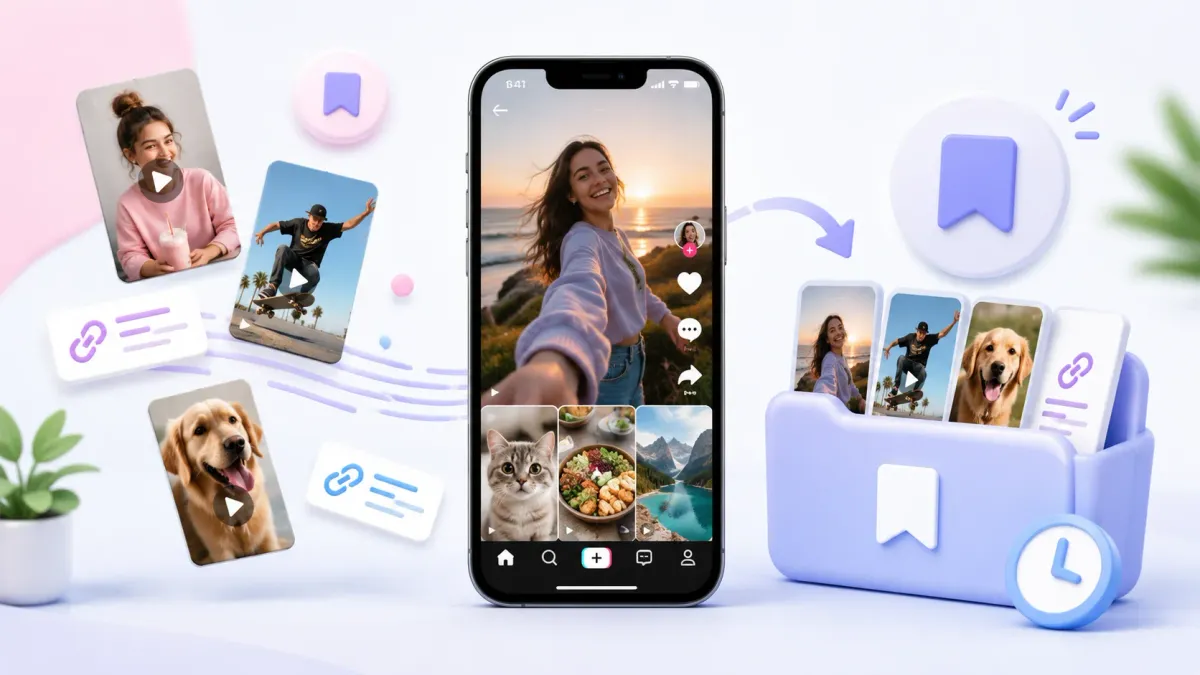
You save a TikTok — a recipe, a workout, a place to visit — and tell yourself you’ll come back to it. Then it vanishes into a Favorites tab you never open. Here’s how to save TikTok videos to a place you’ll actually revisit.
Quick answer: tap the Share arrow on the video → either add it to TikTok’s Favorites (stays locked inside TikTok) or share it to a bookmark app like Tuckii to keep it, searchable, with everything else you save.
Option 1: TikTok’s built-in Favorites
TikTok lets you bookmark a video to your Favorites:
- Tap the Share arrow (right side of the video).
- Tap Add to Favorites (the bookmark icon).
- Find them under your profile → the Favorites tab.
It works, but it has real limits: your saved videos are stuck inside TikTok, you can’t search them by what they’re about, they’re mixed in with nothing else you save, and they disappear if you lose the account. It’s a pile, not a library.
Option 2: Save the TikTok out of the app (recommended)
To actually find that video later — next to the recipe you saved from Instagram and the article from your browser — save the link into a dedicated bookmark app:
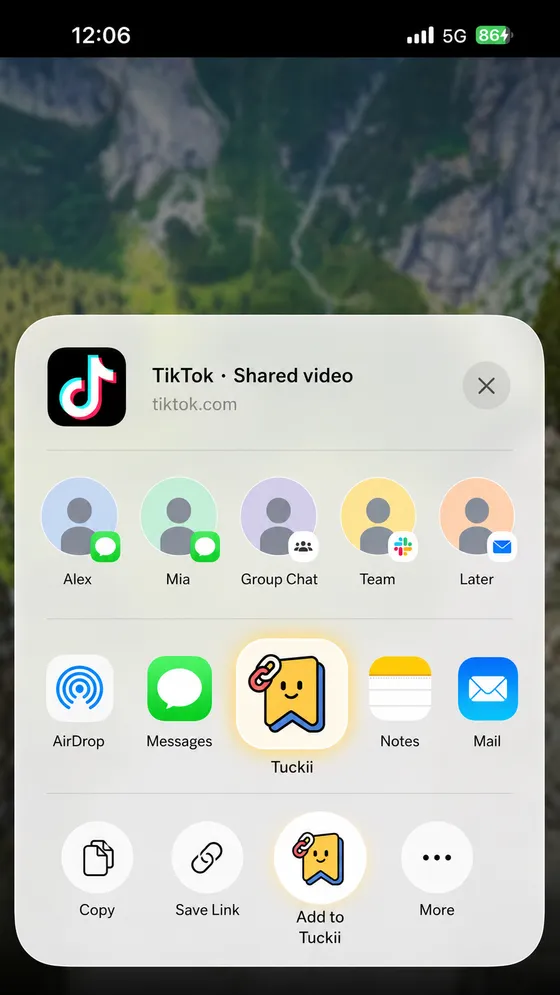
- Tap the Share arrow on the TikTok video.
- In the share sheet, tap Tuckii. (Don’t see it? Tap More and add it once.)
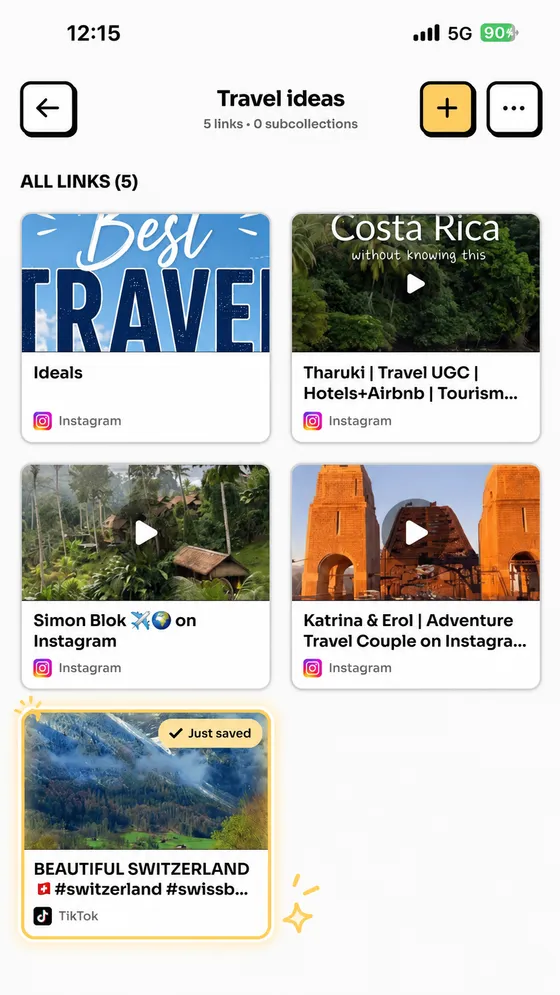
- Done — the video is saved with its title and thumbnail into one searchable place.
Sending the video to a friend instead? TikTok’s Copy link adds share codes like _t, _r and
sender_device. Run it through our free Link Cleaner first to send a clean link.
Why this beats a Favorites tab — Tuckii
Tuckii is built for exactly this: saving the good stuff from any app into one place you control.
- One-tap save from any app — TikTok, Instagram, YouTube, Reddit, your browser. Everything lands together, not scattered across ten “saved” tabs.
- Actually findable — instant search by title, description, or URL, so “that pasta video” is one search away. Organize into collections like Recipes or Places to visit.
- On your device, no account — private, works offline, and nothing to lose if an app changes.
- Free to use, with an optional Pro upgrade for tags, sharing, and backup.
Save TikToks you’ll actually watch later
Tuckii keeps every saved video and link — from TikTok, Instagram, YouTube, anywhere — in one searchable place on your device, no account. Free on iPhone, iPad and Android.
Download Tuckii free →Using YouTube’s Watch Later the same way? It has a hard ceiling and only one bulk action — the limits, explained. Saving a YouTube video for one particular moment? Make a YouTube link with a timestamp first, then save that. For the full walkthrough across every app, see how to save links from any app; to compare options, see the best app for saving links.