
Three things people believe about YouTube’s Watch Later — one is true, one is true with an asterisk, and one is flatly wrong. Here’s the honest version, plus what to do when your queue has quietly turned into a graveyard.
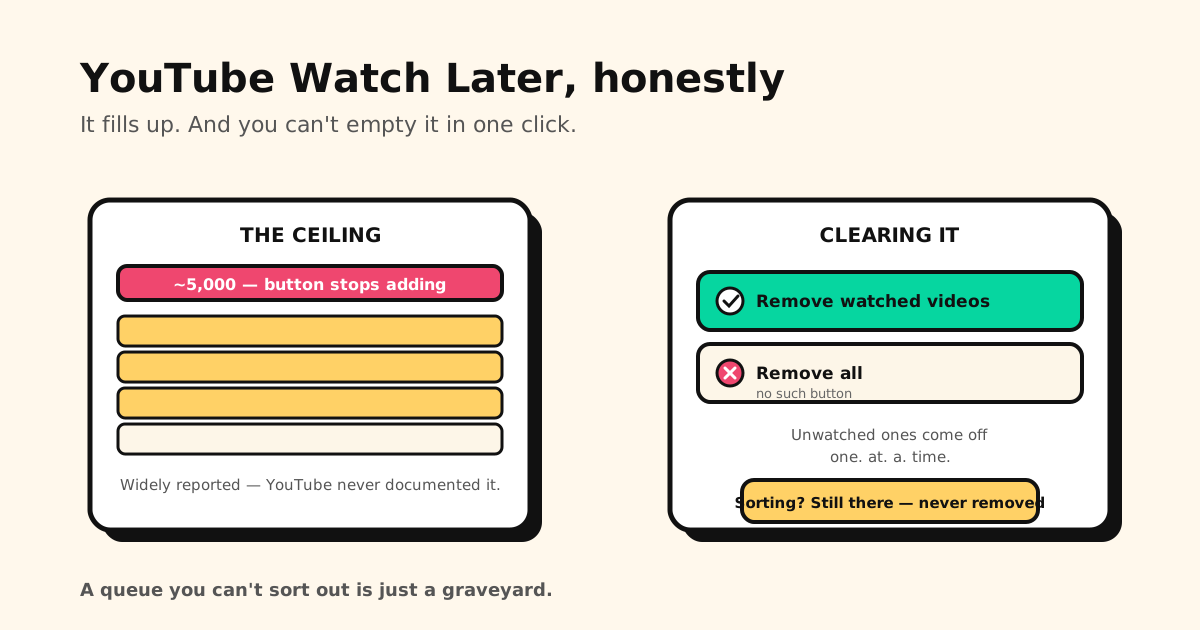
Quick answers: Watch Later holds about 5,000 videos, after which the Watch later button stops adding (though YouTube has never officially published that number). There is no “remove all” — the ⋮ menu only offers Remove watched videos. And no, YouTube did not remove sorting — Watch Later still has a Sort option.
Where Watch Later actually lives
- Desktop: left sidebar of youtube.com → Watch later.
- Mobile app: You (older versions: Library) → Watch later.
The 5,000 ceiling — what really happens
Every YouTube playlist, Watch Later included, tops out at roughly 5,000 videos. When you reach it, the Watch later button simply stops adding. Nothing you already saved is deleted — you just can’t save more until you clear space.
One honest caveat: this cap is not documented anywhere in YouTube’s own help pages. It’s consistently reported by users who’ve hit it, and it matches how YouTube’s other playlists behave, but you won’t find Google publishing the figure. Treat 5,000 as a reliable ceiling, not an official spec.
This is a real save limit — worth naming, because the equivalent limit on other platforms often isn’t. Reddit, for example, keeps saving forever and only shows you the most recent 1,000. YouTube genuinely stops.
”YouTube removed Watch Later sorting” — it didn’t
This one is worth clearing up, because a lot of people are sure it happened.
Watch Later still has a Sort option. On youtube.com it sits at the top of the list, and you can also drag videos into your own order, or use Move to top / Move to bottom from each video’s ⋮ menu.
The belief most likely comes from 2022, when YouTube really did remove the Oldest sort from channel pages, and only brought it back in 2023. That was channel pages, not Watch Later, but “YouTube removed sorting” stuck. If you can’t see the option in the app, open Watch Later on youtube.com in a browser before assuming it’s gone.
How to clear Watch Later
- Open Watch later (sidebar on desktop, You → Watch later on mobile).
- Open the ⋮ menu — above Play all on desktop, top-right on mobile.
- Choose Remove watched videos. Everything you’ve watched, or even partly watched, disappears at once.
- For the rest, open the ⋮ next to each video → Remove from Watch later. One. At. A. Time.
That last step is the whole problem. YouTube gives you exactly one bulk action, and it only applies to videos you already watched — which are precisely the ones you care least about. The 400 unwatched videos you’ll never get to? Those you clear manually, or not at all.
Why the queue becomes a graveyard
Watch Later is a great button and a terrible library. It’s a flat, unsearchable list with one bulk action, a ceiling, and no way to say what a video was even for. So it grows until it hits 5,000, and the honest response to opening it is to close it again.
It’s also YouTube-shaped. The tutorial you saved on YouTube, the recipe you saved on TikTok, and the article you bookmarked in your browser all live in different silos — none of which can see the others.
Keep the ones that matter somewhere better
For videos you genuinely intend to come back to, saving them outside YouTube is the fix:
- Share → Tuckii from the YouTube app: the link and its preview land in one library on your device.
- Everything in one place — YouTube next to TikTok next to the article you saved in Safari, with instant search across all of it instead of scrolling a flat list.
- Bulk actions that actually work — hold to select, then move or delete as many as you want (sharing several at once is Pro). The cleanup YouTube rations out. (The same problem with browser bookmarks, and the same fix.)
- On your device, no account. Free for everyday saving; an optional Pro upgrade adds tags, sharing, and backup.
Sharing a video with someone instead? YouTube adds ?si= to every link you copy from the Share button.
Our free Link Cleaner strips it and keeps the timestamp. To send or save a video
from the exact moment that matters, make a link with our free
YouTube Timestamp Link generator — handy on a phone, where typing ?t= by
hand is fiddly.
A watch-later list you’ll actually revisit
Save YouTube videos into Tuckii alongside everything else worth keeping — searchable, bulk-editable, on your device. Free, no account.
Download Tuckii free →Saving from TikTok too? Here’s how to save TikTok videos to watch later. Other platforms fail differently — Reddit hides everything past 1,000, Facebook’s saves go blank, and LinkedIn’s can’t be searched at all. For the one-tap habit across every app: how to save links from any app.