
Quick answer: tap your avatar → Saved in the Reddit app, or on the website go to your profile →
Saved tab (the direct address is reddit.com/user/your-username/saved). Saved posts and saved
comments live in two separate tabs. One catch to know before you rely on it: Reddit only ever
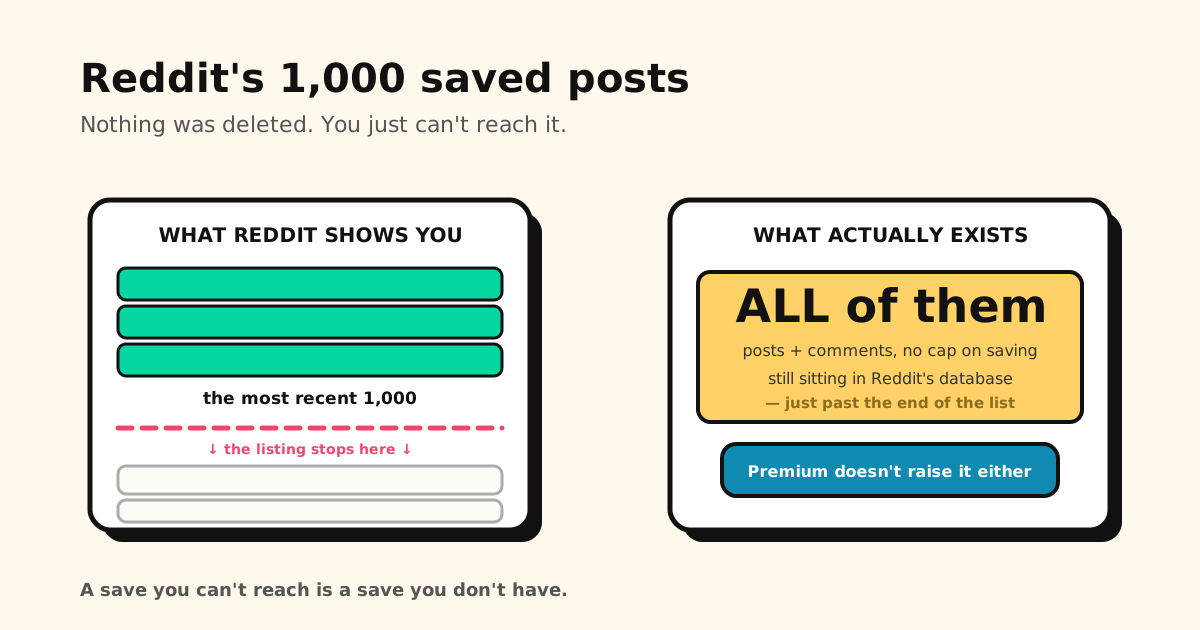
lists your most recent 1,000 saved items — older saves stop showing up.
Here’s the exact path on every device, why saves go missing, and how to get a copy out.
How to see saved posts on Reddit (iPhone & Android app)
- Open the Reddit app and tap your avatar at the top of the screen.
- Tap Saved.
- Switch between the Posts and Comments tabs at the top.
The list is newest-first. There’s no folder, filter or sort — it’s one long scroll.
How to see saved posts on Reddit (desktop)
- Click your avatar in the top-right corner of reddit.com.
- Choose View Profile.
- Open the Saved tab. It’s only visible to you — visitors to your profile don’t see it.
Shortcut: go straight to reddit.com/user/your-username/saved. Prefer the classic layout? The same
list lives at old.reddit.com/user/your-username/saved.
Saved comments are in their own tab
A lot of “my saves are gone” panic is just the wrong tab. If you saved a reply rather than the post it was under, it’s under Comments, not Posts. Check both before assuming anything was lost.
How to search your saved posts on Reddit
Reddit has no search inside Saved — the main search bar looks at all of Reddit, not your saves. What actually works:
- Desktop + Ctrl+F (Cmd+F on Mac): scroll your Saved list until it has loaded far enough, then use your browser’s find to match words in the titles.
- The data export (below): you get every saved link in a spreadsheet you can search — though only by URL, since titles aren’t included.
Why your Reddit saved posts disappeared
When a save vanishes, it’s almost always one of these:
- The post was deleted or removed. Saving keeps a pointer to the post, not a copy. If the author deletes it or moderators remove it, your save goes with it or shows as [deleted].
- The subreddit went private, was quarantined or was banned. The posts still exist, but you can’t open them.
- It fell past the 1,000 limit. This is the one that catches heavy savers out.
The 1,000 saved posts limit
Reddit doesn’t stop you saving — it stops showing. Your Saved list returns only the most recent 1,000 items, and that’s posts and comments combined. Save the 1,001st thing and the oldest one slides out of view. The same ceiling applies in the app, on new and old Reddit, and in third-party apps, and Reddit Premium doesn’t raise it.
The good news: those older saves aren’t necessarily deleted, just unlisted — which is where the export comes in.
How to export your Reddit saved posts
- Go to
reddit.com/settings/data-requestand request your full account history. - Reddit says it can take up to 30 days; it’s often much faster. The download link arrives by Reddit inbox and email.
- Unzip it and open saved_posts.csv and saved_comments.csv.
Because the export is built from Reddit’s records rather than the capped list, people regularly find saves in it that dropped off their list long ago. The trade-off: each row is just an ID and a permalink — no title, no text, no subreddit. And if the post itself was deleted, the link leads nowhere.
Are Reddit saved posts public?
No. Your Saved list is private: it’s not on your public profile, and the person who posted never finds out you saved it. The only other party that sees it is Reddit.
Keep the threads that matter somewhere they won’t fall off a list
Reddit Saved is a good “come back to this later” tray. It’s a poor archive: one unsorted list, no search, a 1,000-item window, and saves that die with the post. For the threads you actually want to keep:
- Share → Tuckii from the Reddit app. The link and its preview land in one library on your phone, next to links from YouTube, TikTok and your browser.
- Sort it the way you think — collections like Recipes or Buy later — and find it again with instant search.
- Nothing falls off the end. Your library shows everything you’ve kept, however long ago you saved it.
- Want the content, not just the link? Screenshot the key comment and share the image into Tuckii too — a link dies with the post, a screenshot doesn’t.
No account, and your library stays on your device. Free for everyday saving; an optional Pro upgrade adds tags, sharing and backup.
Sending a thread to a friend instead? Reddit’s Share → Copy link adds share_id and utm_ tags. Our
free Link Cleaner strips them.
A home for the Reddit threads worth keeping
Share them to Tuckii straight from the Reddit app — one searchable library on your phone, sorted your way. No account needed.
Download Tuckii free →Every platform breaks saving in its own way: Facebook saves go blank when the poster deletes the post, LinkedIn keeps everything but lets you search none of it, and X bookmarks are private but just as unsorted. If you save videos, YouTube’s Watch Later has its own limit.