
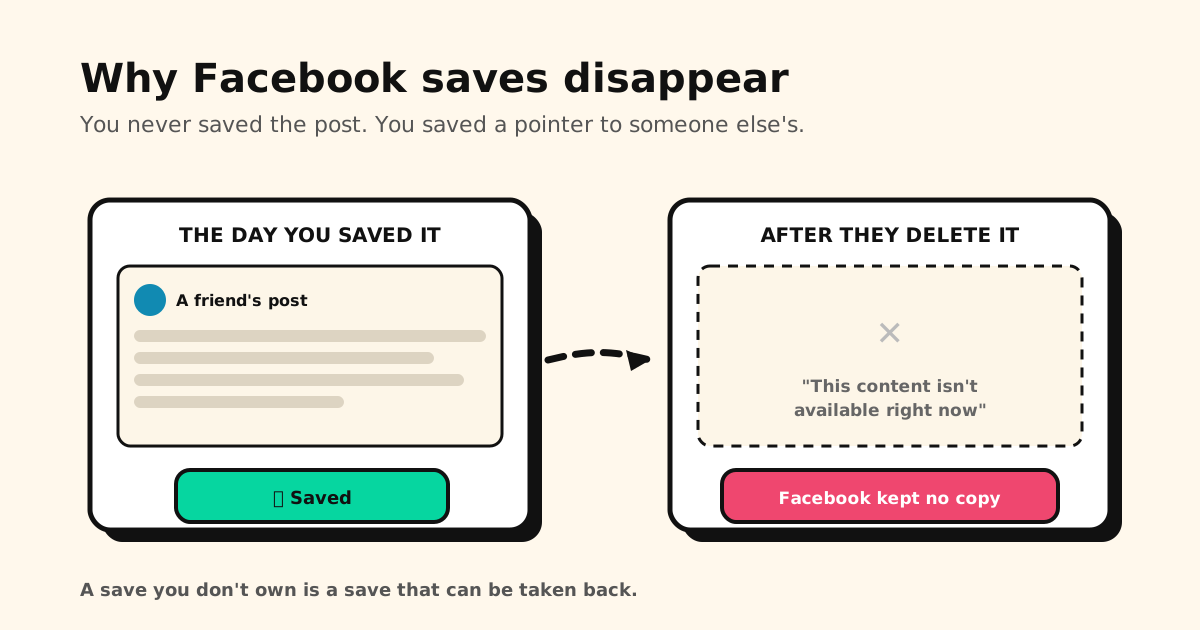
Quick answer: your Facebook saved items disappear because you never saved the post — you saved a pointer to someone else’s post. When the original poster deletes it, changes its audience, deactivates their account, or Facebook removes it, your saved item goes blank and reads “This content isn’t available right now.” Facebook keeps no copy. There is nothing to restore.
That’s the part worth internalising: Save on Facebook is a bookmark on a thing you don’t control, not an archive.
Where Saved actually lives
- Desktop:
facebook.com/saved, or Saved in the left menu of your home feed (you may have to expand See more). - App: tap the ☰ menu, scroll down, tap Saved.
Facebook reshuffles its navigation regularly, and Saved moves with it — which is why a lot of “my saved posts are gone” panic turns out to be a menu that relocated. Check the location above before assuming anything is lost. Looking for listings rather than posts? Marketplace keeps its own list — here’s how to see saved items on Facebook Marketplace.
Why saved items go blank
A saved item dies when any of these happens to the original:
- The poster deletes it.
- The poster narrows its audience — e.g. from Public to Friends, and you aren’t a friend.
- The poster deactivates or deletes their account.
- Facebook removes the post, or the group it lived in changes its rules.
In every case the outcome is identical: the entry stays in your list but shows nothing. It isn’t a bug, and it isn’t recoverable — the content was never yours to begin with.
What Saved can and can’t do
Collections are Facebook’s folders. You can file saved items into them, which helps a little with organisation.
What you don’t get is a way to find things by what they were about. Facebook’s own help page for viewing saved items describes clicking a category in the left menu or clicking an item to open it — it documents no keyword search. In practice that means a large Saved list is something you scroll, not something you query. The recipe you saved eight months ago is in there somewhere, and finding it is your problem.
One thing Facebook does differently: saves can be shared
On X, Instagram and Reddit, your saves are private, full stop. Facebook is the exception.
Facebook states that when you save something, only you can see it — that’s the default. But collections have their own audience setting. If you put saved items into a collection set to Public or Friends, anyone in that audience can see those items. There’s also a contributors-only option for collaborative collections.
So the honest version is: your Saved list is private, but a collection is a decision, and it’s the one place a Facebook save can stop being just yours. Worth checking before you file something sensitive into a shared collection.
Get a copy out while the items still work
Facebook does let you export. In Accounts Center → Your information and permissions → Export your information → Create export, saved items and collections are part of the data you can request. (Older versions of the menu call it Download your information.)
Two caveats worth knowing before you rely on it: the request takes time to prepare, and it gives you your saved list, not the posts themselves. Anything already showing as unavailable is already gone — exporting won’t bring it back. The export is a record of what you saved, not an archive of what was in it.
Keep the ones that matter somewhere you own
For the links you genuinely want to come back to, saving them outside Facebook is what makes them survive:
- Share → Tuckii from Facebook: the link and its preview land in one library on your device, with no account.
- A screenshot for the ones you can’t lose. Screenshot the post and share the screenshot to Tuckii too. The link takes you back while the post exists; the screenshot is your own copy, stored next to it on your phone, and it’s still there after the author deletes the post.
- Searchable by what it was about — instant search across titles, descriptions and URLs, instead of scrolling a list that has no search at all.
- Everything in one place — the Facebook post next to the Reddit thread, the YouTube video and the article from your browser.
- Yours, not on loan. Free for everyday saving; an optional Pro upgrade adds tags, sharing, and backup.
One honest limit: nothing can resurrect a post its author deleted, and a saved link to it dies with it. What survives is what you captured while it still existed — the title and context with the link, and the post itself if you took a screenshot — kept somewhere no one else can take back.
Saves that can’t be taken back
Keep the posts worth keeping in Tuckii — one searchable library on your device, no account. Works with Facebook, Reddit, YouTube, and any app. Free.
Download Tuckii free →Instagram saves break the same way — why Instagram saved posts disappear or won’t load. Same problem on other platforms, different shape: Reddit hides everything past your most recent 1,000 saves, and YouTube’s Watch Later stops accepting new videos. Wondering who can see your saves elsewhere? Here’s Instagram and X.