
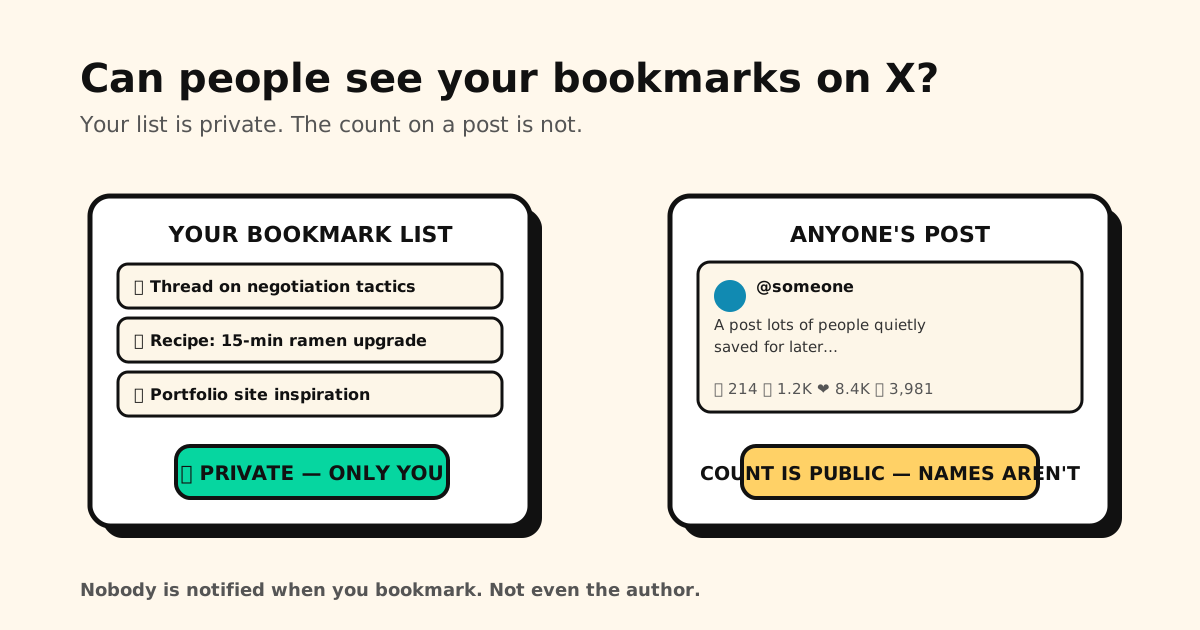
Quick answer: No — nobody can see your bookmarks on X. Your bookmark list is visible only to you: not the post’s author, not your followers, and not X Premium subscribers. Bookmarking also sends no notification. The one number that is public: every post shows its total bookmark count — but unlike likes, there is no list of names behind it.
So bookmark freely — the person whose post you saved at 1 a.m. will never know. Here’s exactly where the line between private and public sits.
Is X making bookmarks public?
No — not as of October 2026. If you’ve seen posts claiming X bookmarks are “going public,” there’s no announcement from X behind them. Your bookmark list is still visible only to you, and saving a post still sends no notification.
What usually sparks the worry is the bookmark count. Since 2023, every post shows how many times it’s been bookmarked, right next to likes and reposts. That number is an anonymous total — nobody can tap it to see who saved the post. If X ever changes how bookmarks work, we’ll update this guide.
What’s private vs. what’s visible
| Thing | Who can see it |
|---|---|
| Your bookmark list | Only you — there is no setting that exposes it |
| That YOU bookmarked a post | Nobody — not even the author; no notification is sent |
| A post’s bookmark count | Public — shown with likes/reposts, but with no names attached |
| Your bookmark folders (Premium) | Only you — folders can’t be shared or made public |
| X (the company) | Can see them — your saves sit on X’s servers, tied to your account |
| Anyone with your unlocked phone | Everything — your lock screen is the real privacy setting |
The bookmark count is the detail that trips people up: authors can watch their post’s bookmark number climb, which feels like being watched. It isn’t — the count is an anonymous total, and X provides no way (free or paid) to unmask it.
Private, but still not yours. Your X bookmarks live on X’s servers and vanish with the post or the account. Tuckii keeps the ones you actually want in a library on your own device — no account, nothing uploaded. Free for everyday saving.
The privacy that ISN’T covered
“Private” on X means private from other users. Three honest caveats:
- Anyone holding your unlocked phone can open X and scroll your bookmarks — same as your DMs. If that matters, your phone’s lock screen is the real privacy setting.
- X itself can see them. Your bookmarks live on X’s servers, tied to your account, and saves are treated as an engagement signal. Nothing sinister — that’s how any account-based save feature works — but it’s worth knowing that “private” doesn’t mean “yours alone.”
- A copied link carries share codes. Tap Copy link on a post and X adds codes like
?s=and?t=to it. Strip them with our free Link Cleaner before you send it.
And there’s a practical catch that has nothing to do with privacy: everything you save is locked inside X — one flat list (folders cost Premium), no export button, and a pile that only grows. More on those limits in Twitter (X) bookmarks, explained.
If you want saves that are truly yours
For the posts you actually want to keep — not just react to — a sturdier setup is saving them outside the platform:
- Share → Tuckii from the X app: the post’s link, title, and preview land in a library on your device, tied to no account at all.
- Actually findable: instant search plus collections, so “that thread about negotiating” is one search away instead of forty flicks deep in a flat list.
- No engagement signals, no server copy — a save nobody can count, because it never touches a Tuckii server. (Why local-first is the better default: the private, local-first bookmark manager.)
- Free for everyday saving; an optional Pro upgrade adds tags, sharing, and backup.
Comparing apps first? The best app for saving links puts the main bookmark apps side by side, with platform picks for iPhone and Android.
Saves that stay between you and your phone
Keep the posts worth keeping in Tuckii — one searchable, private library on your device. Works with X, TikTok, Instagram, and any app. Free, no account.
Download Tuckii free →Want the full picture of how X bookmarks work — adding, finding, folders, limits? That’s here: Twitter (X) bookmarks: how to find, use & save them better. Same question about another app? See can people see what you save on Instagram? and Reddit saved posts. And for the one-tap save habit across every app: how to save links from any app.