
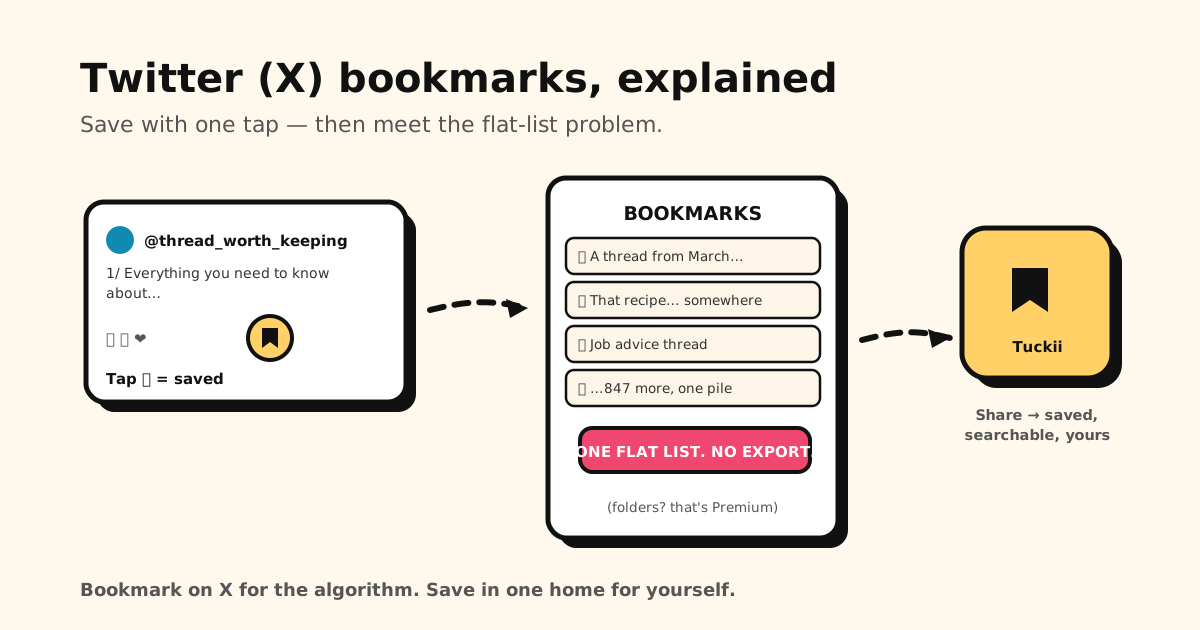
X’s bookmark button is the polite way to say “I want this later” without liking it in public. It’s genuinely useful — and genuinely limited. Here’s how bookmarks on X work, where to find them, and what to do when the flat list stops working.
Quick answer: tap the 🔖 bookmark icon under any post (or Share → Bookmark). To see your saves: profile picture → Bookmarks in the app, or the left-hand Bookmarks menu on x.com. Your list is private — details on exactly what others can and can’t see: can people see your bookmarks on X?
How to bookmark on X (app & web)
- Find the post you want to keep.
- Tap the 🔖 icon in the action row under the post. On some layouts it’s behind the Share icon → Bookmark.
- That’s it — no notification is sent, and the post lands in your private list.
To view your bookmarks: in the app, tap your profile picture (top left) → Bookmarks. On the web, Bookmarks sits in the left navigation. To remove one: tap the 🔖 icon again on the post, or delete it from the Bookmarks screen.
The three limits everyone hits
X bookmarks work beautifully until you have a few hundred. Then:
- It’s one flat list. Everything — recipes, threads, job posts, memes — in a single chronological pile. Folders exist, but only with X Premium, and even then your saves stay locked inside X.
- There’s no export. No button turns your bookmarks into a file you own. Your reading list is only as durable as your X account.
- Bookmarks break silently. If the author deletes the post — or their account — your bookmark points at nothing. The thread you saved for your career change can vanish without a sound.
None of this is a privacy problem (your list stays private); it’s an ownership problem. Your “keep this” pile belongs to the platform, organized the platform’s way.
Keep the posts that matter in a place you own
The fix isn’t abandoning X bookmarks — the 🔖 is still perfect for casual “later maybe” saves. The fix is a second home for the posts you’d be annoyed to lose:
- Share → Tuckii from any post: the link saves with its title and preview into a library on your device — no account, not tied to any platform.
- Collections and instant search — “that pricing thread” is one search away, not forty flicks deep. Bulk actions when it’s time to clean up.
- Everything together — X threads next to the TikTok recipe and the Safari article, one searchable place instead of five scattered saved tabs.
- Free for everyday saving; optional Pro adds tags, full-collection sharing, and backup.
Copying a post’s link to send it instead? X adds share codes like ?s= and ?t= to it. Our free
Link Cleaner removes them.
Your best finds deserve better than a flat list
Save X posts — and links from any app — into one searchable, private library on your device with Tuckii. Free, no account.
Download Tuckii free →Wondering who can see what you’ve saved? Here’s the full privacy picture: can people see your bookmarks on X? And for the same one-tap save habit across every app: how to save links from any app.