
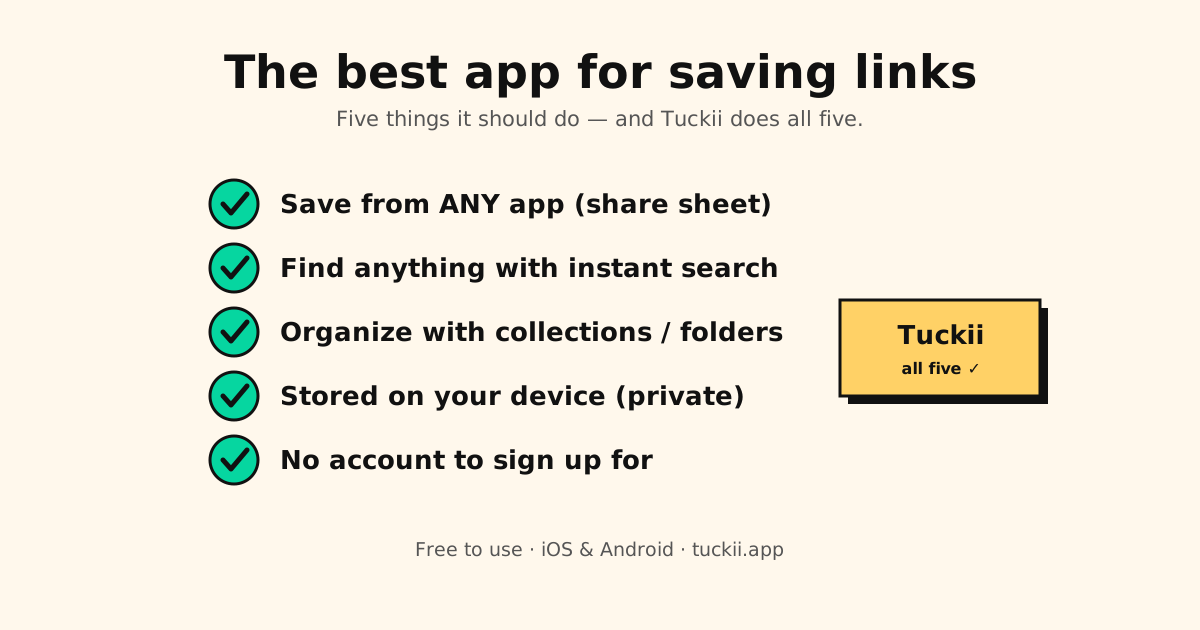
The best app for saving links does one job well: when something useful shows up (a recipe on TikTok, a thread on X, an article in Safari), you save it in one tap, and you find it again weeks later. Most link saver apps are good at one half of that. We compared the eight most popular ones in October 2026 by what you save and where you save it from.
Quick answer: the best app for saving links in 2026
- Our pick for saving from any app on your phone: Tuckii. Share sheet, no account, links stored on your device (iPhone, iPad, Mac, Android).
- Best for a desktop browser plus a web app: Raindrop.io
- Best for reading and highlighting: Readwise Reader
- Best simple read-later queue: Instapaper
- Best Apple-only app you buy once: GoodLinks
- Best if you run your own server: Karakeep
Save a link from any app, find it in seconds
Tuckii saves from the share sheet on iPhone and Android, with no sign-up, and keeps everything in one searchable library.
Get Tuckii free →Want a platform pick? See the best bookmark app for Android or the best bookmark app for iPhone. On a budget? See the best free bookmark manager. Coming from Pocket? See the best Pocket alternatives.
What makes a great link saver app
- Save from any app, in one tap. Good links show up in TikTok, Instagram, YouTube, Reddit and messages, not just a browser. On a phone, that means the app must appear in the share sheet.
- Search that finds things. A pile of links you can’t search is a graveyard. At minimum, search should cover the title, description and URL.
- Folders or collections. “Recipes”, “Trip to Japan”, “Read later”: grouping is what keeps a growing library usable.
- Low friction to start. If you need an account, an extension and a tutorial before your first save, you won’t keep using it.
- Your data, your call. Some apps keep your library in their cloud, some on your device, some on your own server. Pick the one you’re comfortable with.
The 8 most popular link saver apps, compared
| App | Best for | Platforms | Free plan | Where your links live |
|---|---|---|---|---|
| Tuckii | Saving from any phone app | iPhone, iPad, Mac, Android | ✓ Everyday saving | Your device, no account (+ your own iCloud or Google Drive with Pro) |
| Raindrop.io | Desktop browser + web app | Web, desktop, iOS, Android | ✓ Yes | Raindrop’s cloud (account) |
| Readwise Reader | Reading and highlights | Web, desktop, iOS, Android | ✗ Trial only | Readwise’s cloud (account) |
| Instapaper | Simple read-later queue | Web, iOS, Android | ✓ Yes | Instapaper’s cloud (account) |
| GoodLinks | Read-later on Apple devices | iPhone, iPad, Mac | Buy once | Your iCloud |
| Matter | Reading on iPhone and iPad | iPhone, iPad, web | ✓ Yes | Matter’s cloud (account) |
| Plinky | Quick saves on Apple devices | iPhone, iPad, Mac + extensions | Limited | Plinky’s cloud |
| Karakeep | Self-hosting, AI tags | Web, iOS, Android | ✓ Self-hosted | Your server, or Karakeep Cloud |
| Browser bookmarks | A few sites in one browser | That browser only | ✓ Free | Your browser (its account, to sync) |
Full disclosure: Tuckii is our app. We’ve tried to be fair to the others; each one is the better choice for someone. Facts checked October 2026.
Two big names are missing because they’re gone: Pocket (Mozilla shut it down on July 8, 2025) and Omnivore (closed in November 2024). If you’re replacing either, see the best Pocket alternatives in 2026. Leaving Raindrop? See the best Raindrop.io alternatives.
The 8 apps in one paragraph each
1. Tuckii: our pick for saving from any phone app
Tuckii lives in your phone’s share sheet, so saving a TikTok, a Reddit thread or a link from a group chat is the same one tap. Links land in collections with their title and preview, and instant search finds them by title, description, notes or URL. There’s no account, and your library is stored on your device. More on who it’s for below.
2. Raindrop.io: best for desktop browsers
The most complete cloud bookmark manager: browser extensions, a web app, plus desktop and mobile apps. The free plan doesn’t limit how many bookmarks you keep; Pro adds full-text search, permanent copies of pages and an AI assistant. You need an account, and your library lives in Raindrop’s cloud.
3. Readwise Reader: best for reading and highlights
Reader saves articles, PDFs, newsletters, RSS feeds and YouTube transcripts, and turns your highlights into notes you can review later. It’s the strongest reading tool here. There’s no free plan, just a 30-day trial, and it’s built for reading articles more than for collecting TikToks and recipes.
4. Instapaper: best simple read-later app
One of the oldest read-it-later apps, with a clean reading view on the web, iPhone and Android. The free plan saves as many articles as you like; Premium adds full-text search, a permanent archive and text-to-speech. Kobo e-readers now use Instapaper in place of Pocket.
5. GoodLinks: best Apple-only app you buy once
A tidy read-later and link app for iPhone, iPad and Mac. It syncs through iCloud, so there’s no separate account, and you buy it once (an optional subscription unlocks newer features). It doesn’t run on Android.
6. Matter: a polished reading app for iPhone and iPad
Matter is reading-first, with a free plan and a Premium tier that adds text-to-speech and AI features. It runs on iPhone, iPad and the web, but there’s no Android app.
7. Plinky: quick link saving on Apple devices
A simple link saver for iPhone, iPad and Mac, with browser extensions for Chrome, Firefox and Safari. It’s free to try, and Plinky Pro unlocks unlimited links, tags, folders and reminders. No Android app.
8. Karakeep: best self-hosted option
Karakeep (formerly Hoarder) is open source: run it free on your own server, or use Karakeep Cloud, which has a small free tier and a paid Pro plan. It has iOS and Android apps, browser extensions and AI tagging. Great if you like running your own software.
What’s the best way to save links?
The best way to save links is boring on purpose: one place, one motion, one search.
- One place for everything. Browser bookmarks, Instagram saves, notes to self and screenshots are four places to forget. Pick one app and send everything there.
- One motion in every app. Tap Share, then your link app. When saving works the same in TikTok as it does in Safari, you actually do it.
- Name collections by what you’ll do. “Weekend recipes”, “Japan trip” and “Read later” beat “Misc” and “Stuff”.
- Add a word or two. A short note on a link (“the cheap ramen place”) is what search finds six weeks later.
- Clean links before you share them. Links copied from apps often carry tracking codes like
?igsh=orutm_source. Our free Link Cleaner strips them in a second.
Saving a YouTube video for one moment? Make a link that starts at the exact second with our free YouTube Timestamp Link tool, then save that link.
Which save links app fits what you save?
Recipes, outfits and ideas from TikTok and Instagram. These live inside apps, not a browser, so share-sheet saving matters most. Tuckii keeps the link and its preview in a collection, and you can share a screenshot into the same library in case the post itself disappears.
A trip you’re planning. Links come from everywhere: Instagram reels, Google Maps, blog posts, booking sites. Put them in one collection on your phone (Tuckii), or a shared Raindrop collection if you plan on a laptop with friends.
Articles you mean to read this weekend. A reader beats a bookmark list: Readwise Reader for heavy readers, Instapaper for something simple and free, GoodLinks or Matter on Apple devices.
Research for work on a desktop. A browser extension and web app make Raindrop.io the stronger fit, especially with full-text search in Pro.
Your own server. Karakeep, or Linkwarden if you want an archived copy of every page.
Ten sites you open every day. Your browser’s own bookmarks bar is enough.
Who Tuckii is for
Tuckii is the save links app for people whose best links show up on their phone:
- You find good stuff inside apps. TikTok, Instagram, X, Reddit, YouTube, podcasts and group chats all have a Share button, and Tuckii sits right there in the share sheet.
- You don’t want another account. Open the app and start saving. No email, no password.
- You want your library on your device. Tuckii is local-first: your links are stored on your phone, not on a company server.
- You use iPhone, iPad, Mac or Android. One app, the same simple flow on each.
What you get:
- One tap from any app: browsers, TikTok, Instagram, X, Reddit, YouTube, podcasts, messages.
- Screenshots next to your links: share a screenshot or photo to Tuckii, give it a name, and search finds it.
- Collections and pinning to keep things sorted, plus notes on any link.
- Instant search across titles, descriptions, notes and URLs.
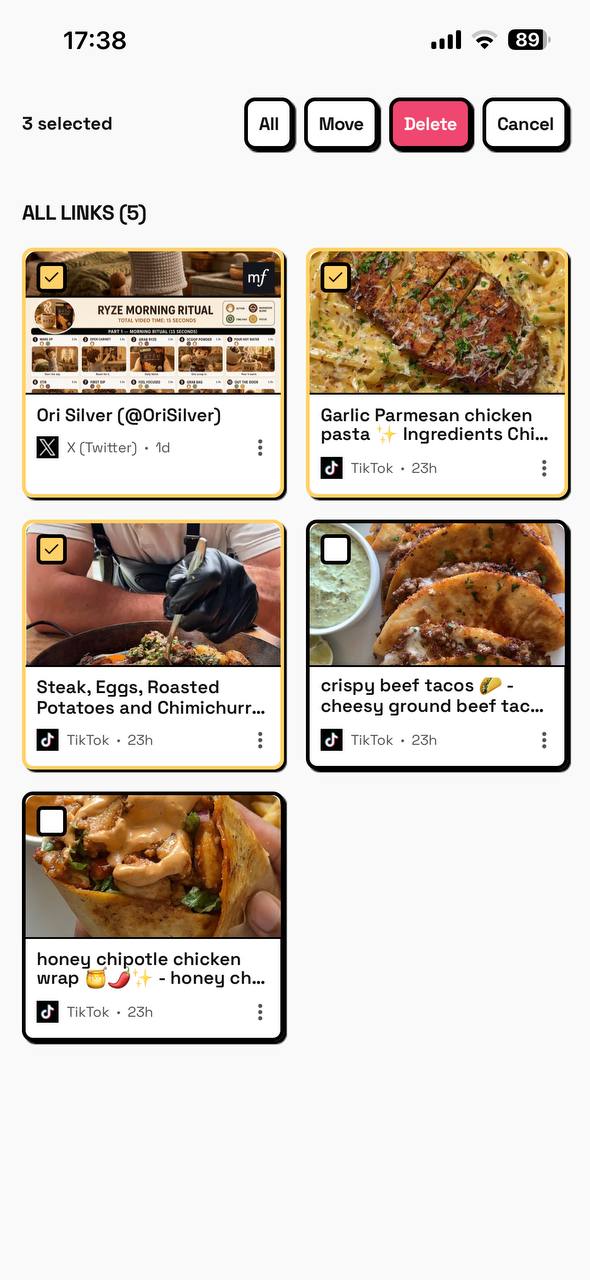
- Bulk actions: select many links to move or delete at once (sharing several at once is Pro), and hold any card for quick actions.
- Your library on all your devices (Pro): one tap on Sync Now and everything you saved is on your iPhone, iPad and Mac through your own private iCloud, or on your Android phones and tablets through your own Google Drive.
- Import a CSV/HTML export from Pocket, Raindrop or your browser.
It’s free for everyday saving; an optional Pro upgrade adds tags, sub-collections, full-collection sharing, backup and sync (iCloud or Google Drive). Good to know: there’s no browser extension, web app or Windows app, so if you save mostly on a desktop computer, Raindrop.io is the better fit.
For the step-by-step saving flow, see how to save links from any app. Saving on an iPad or a Mac too? See the best bookmark app for iPad & Mac.
The link saver app built for the share sheet
Collections, instant search and bulk actions on iPhone and Android, with no account. Free to start.
Download Tuckii free →