
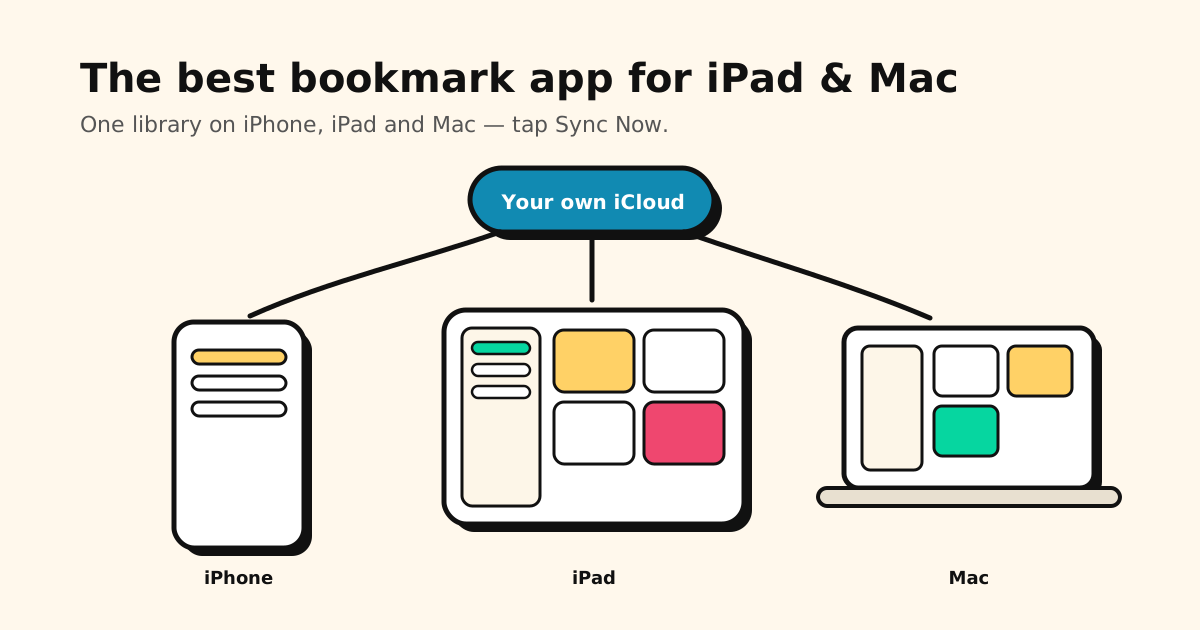
You save things on your iPhone all day — a recipe on TikTok, a place on Instagram, an article in Safari. Then you sit down at your iPad or Mac and want them back, on a bigger screen. The best bookmark app for iPad and Mac is simply the one that has the same library everywhere, so nothing you saved is stuck on your phone.
Quick answer:
- Our pick for most people: Tuckii. Save from any app on your iPhone, then open the same library on your iPad and Mac. Free to start, no account.
- Mostly reading long articles? GoodLinks.
- Saving mostly from a desktop browser? Anybox, or Raindrop.io if you also use Windows.
- Only ever bookmark in Safari? Safari’s built-in bookmarks are enough.
Save on your iPhone. Find it on your iPad and Mac.
Tuckii saves links from any app in one tap and keeps them in one searchable library. With Pro, one tap on Sync Now puts it on all your Apple devices. Free to download, no sign-up.
Get Tuckii on the App Store →What to look for on iPad and Mac
- The same library on every device. A bookmark app you can’t open everywhere is just another pile. Look at how it syncs — and whose cloud your links end up in.
- Saving from where you actually save. For most people that’s the iPhone, inside apps like TikTok, Instagram and YouTube. The share sheet is what matters.
- Made for the bigger screen. On an iPad you want your folders in a sidebar and a grid you can scan, not a stretched phone app.
- No new account. Your saved links say a lot about you. iCloud-based apps sync without handing them to another company.
How the options compare
| App | iPhone, iPad & Mac | Sync | Account | Also on | Price model |
|---|---|---|---|---|---|
| Tuckii 🏆 | ✓ Yes | Your own iCloud, one tap (Pro) | None | Android (Google Drive sync coming soon) | Free + optional Pro |
| Safari bookmarks | ✓ Built in | iCloud | Your Apple Account | — | Free |
| GoodLinks | ✓ Yes | iCloud | None | Apple only | One-time purchase |
| Anybox | ✓ Yes | iCloud | None | Apple only | Small free tier + Pro |
| Raindrop.io | ✓ Yes | Raindrop’s cloud | Required | Android, Windows, web | Free + Pro subscription |
Prices and plans change, so check each app’s App Store page before you decide.
Tuckii — our pick if you save on your iPhone
Tuckii is built for the moment you find something worth keeping: tap Share → Tuckii in any app and the link lands in one searchable library, title and preview included. Now it follows you to the bigger screens:
- Beautiful on iPad — your collections in a sidebar, your saves in a big visual grid. Works in landscape, Split View, Slide Over and Stage Manager.
- On your Mac too — download it from the App Store and browse, search and tidy your saves on the big screen.
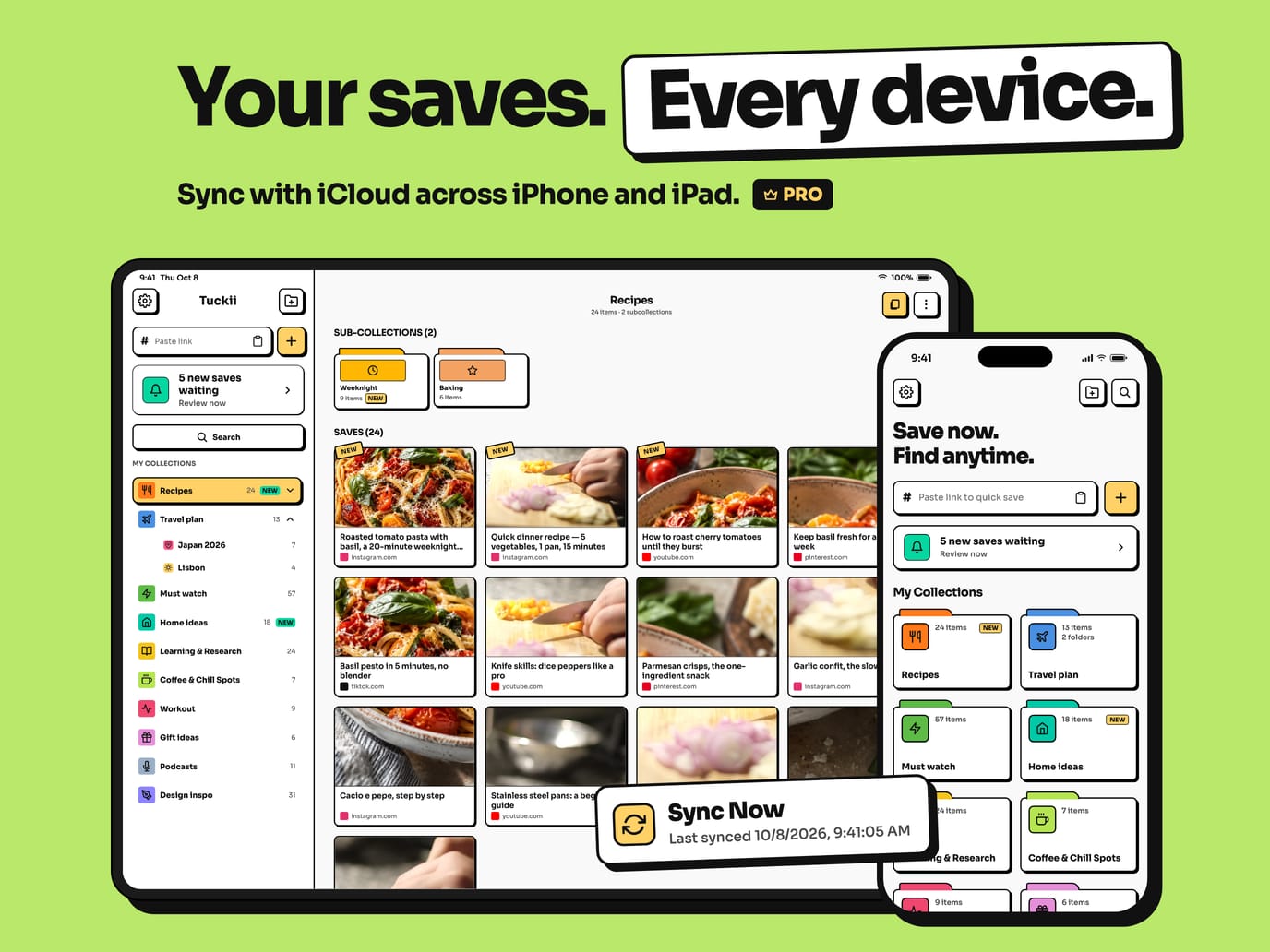
- One tap to sync (Pro) — hit Sync Now and your links, notes, collections, tags and images show up on your iPhone, iPad and Mac, through your own private iCloud. Tuckii never sees your library.
- Find anything in seconds — instant search across titles, descriptions, notes and links.
- No account, ever — open it and start saving.
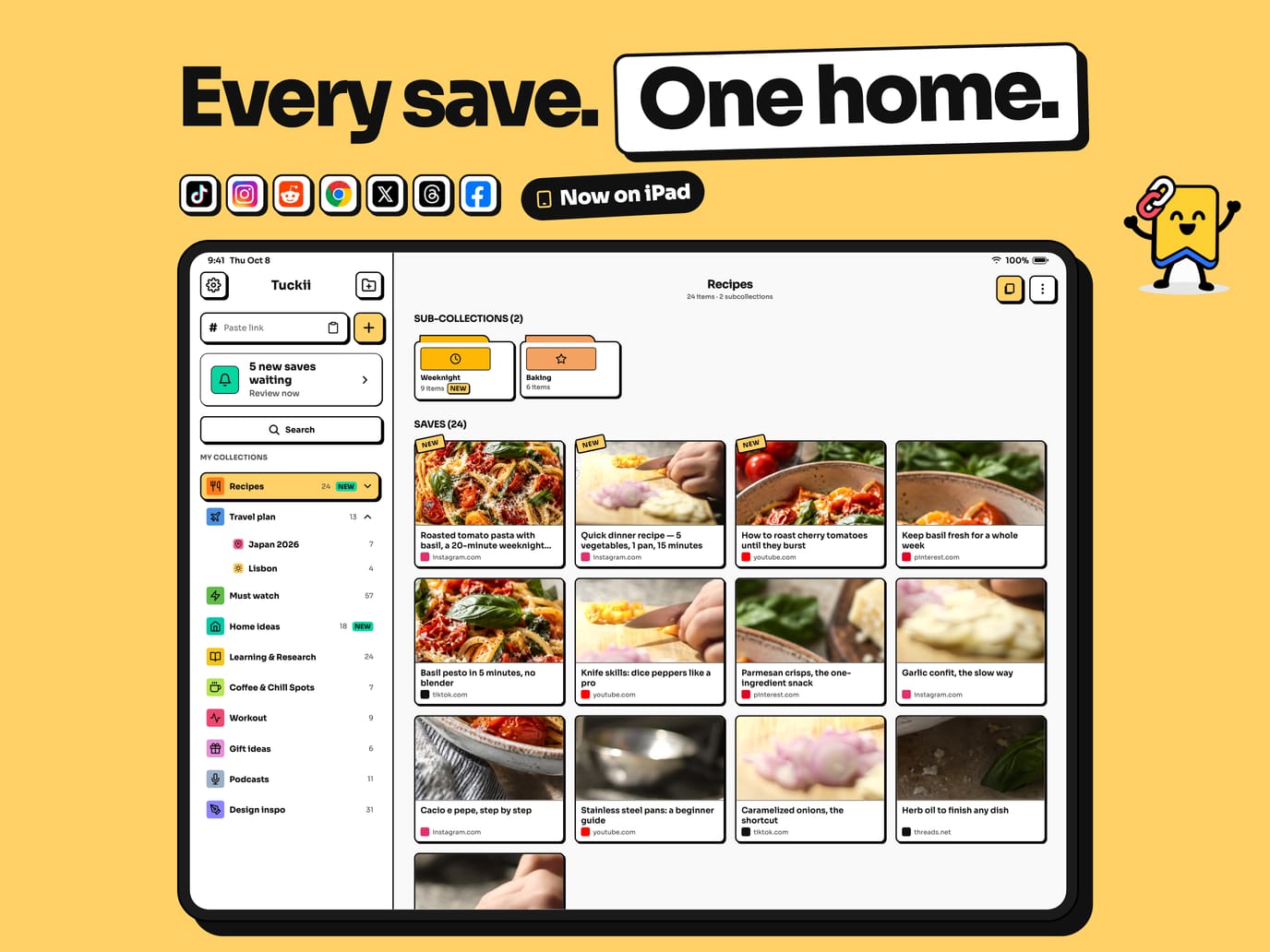
It’s free to download and free for everyday saving. Tuckii Pro adds iCloud Sync, tags, full-collection sharing and backup when you want more. Good to know: Tuckii is made for saving from your phone’s apps, so it has no browser extension — if you save mostly from a desktop browser, Anybox or Raindrop.io may suit you better.
Your saves, on every Apple device
Save from TikTok, Instagram, YouTube or Safari on your iPhone — and pick up right where you left off on your iPad or Mac.
Download Tuckii free →The other options
Safari bookmarks — free and built in, but Safari only
With Safari turned on in iCloud settings, your bookmarks and Reading List already show up on your iPhone, iPad and Mac, and Reading List can keep pages for offline reading. The catch: Safari only knows about pages you open in Safari. The recipe you saved in TikTok or the place you saved in Instagram never gets there, and there are no tags or notes. (Sync acting up? See Safari bookmarks not syncing.)
GoodLinks — for reading long articles
GoodLinks is a polished read-later app for iPhone, iPad and Mac. It saves the article text for a clean reader view, with highlights, notes and tags, syncs through iCloud with no account, and has browser extensions for Safari, Chrome and Firefox. One purchase covers all your Apple devices. It’s built for articles — less for TikTok videos or Instagram posts — and it’s Apple-only.
Anybox — for saving from a desktop browser
Anybox is a bookmark manager for Mac, iPhone and iPad that shines on the desktop: browser extensions, a floating bookmarks dock, nested tags and folders, smart lists and page archives. It syncs through iCloud with no account. The free tier holds only a small number of links, so most people end up on Pro. Apple-only.
Raindrop.io — if you also use Windows or the web
Raindrop.io has apps for iPhone, iPad, Mac, Windows and Android, a web app, and extensions for every major browser. That reach comes from its own cloud, so it needs a Raindrop account, and extras like full-text search and permanent page copies are part of Pro. More options in the best Raindrop.io alternatives.
Get Tuckii on your iPad and Mac in two minutes
- Install Tuckii from the App Store on your iPhone, iPad and Mac — it’s free, with nothing to sign up for.
- On your iPhone, open Settings → Cloud Sync and tap Sync Now (iCloud Sync is part of Tuckii Pro).
- On your iPad or Mac, open Settings → Cloud Sync and tap Sync Now. Leave Tuckii open for a moment while it syncs.
- That’s it — tap Sync Now whenever you want everything up to date.
Use the same Apple Account on each device. Coming from another app? Import a CSV or HTML export from Safari, Chrome, Pocket or Raindrop under Settings → Backup & Restore → Import Bookmarks. The free plan imports a starter batch; Pro imports the whole file.
Which one should you pick?
| If you… | Choose |
|---|---|
| Save on your iPhone, from any app, and want it on your iPad and Mac — no account | Tuckii |
| Mostly read long articles and want highlights | GoodLinks |
| Save mostly from a desktop browser | Anybox |
| Need Windows and a web app too | Raindrop.io |
| Only bookmark pages in Safari | Safari bookmarks |
Start free — your iPad and Mac are waiting
Save from any app, find anything in seconds, and sync your iPhone, iPad and Mac with one tap. Free for everyday saving, no account.
Download Tuckii on the App Store →Mostly on your phone? Start with the best bookmark app for iPhone. For a cross-platform comparison, see the best app for saving links.