
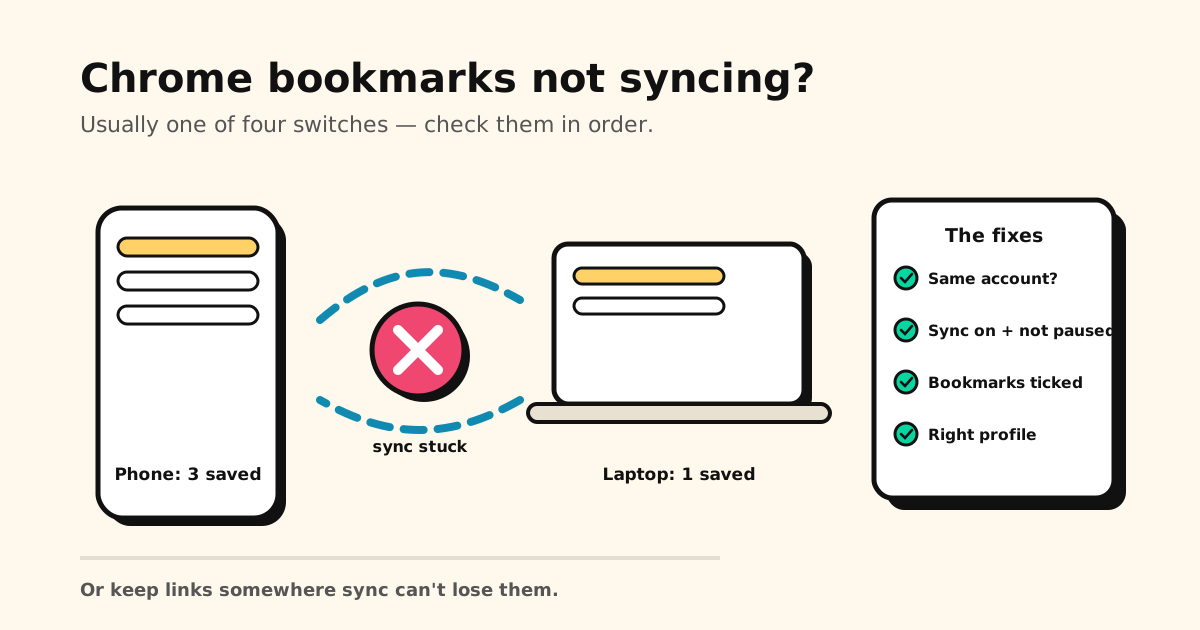
Your bookmarks are on your laptop but not your phone — or you saved something on your phone an hour ago and your computer still hasn’t heard about it. Chrome bookmarks not syncing is almost never a broken Chrome. It’s one of six settings, and you can check them all in about five minutes.
Quick answer: in order of likelihood — you’re signed into different Google accounts, sync is paused (“Verify it’s you”), Bookmarks is switched off in what Chrome saves to your Google Account, or (desktop) you’re in the wrong Chrome profile. Fix = same account everywhere + not paused + Bookmarks on + right profile, then sign out and back in to force a refresh.
First, know what “synced” is supposed to mean
Chrome bookmarks live in three places: on each device, and in your Google account (the full map: where are Chrome bookmarks stored). Sync just keeps those copies talking. When they stop talking, nothing is lost — the copies have simply stopped agreeing. That’s why the fixes below are about reconnecting, not recovering.
One thing changed in 2025–26: there’s no separate “Turn on sync” switch any more. You sign in to Chrome, then choose what’s saved to your Google Account. Bookmarks you saved while signed out stay on that device only — on desktop, the profile menu offers Save … items in account to move them over.
The 6 fixes, in order
1. Same Google account on every device
The #1 cause by far. Open Chrome on each device and tap the profile avatar — if your phone is on your personal Gmail and your laptop on a work account, each syncs to its own island, correctly and uselessly. Sign into the same account everywhere.
2. You’re signed in — and not paused
On a computer, look at the profile avatar (top right); on a phone, open Chrome → Settings and tap your name. Two very different states look similar:
- Your account, no warning — good.
- “Paused” / “Verify it’s you” — the silent killer. Google signs you out periodically for security (typically after a password change, or when you sign out of Gmail), Chrome keeps showing your face in the corner, and sync just… stops. Choose Verify it’s you → Sign in again and it resumes.
Paused again after every restart? Chrome is clearing site data when it closes, which signs you out too. Go to Settings → Privacy and security → Site settings → Additional content settings → On-device site data and allow sites to save data on your device.
3. Bookmarks is actually saved to your account
On a computer: ⋮ → Settings → You and Google → your account name. On a phone: Settings → tap your name. That’s where you choose what’s saved to your Google Account — and Bookmarks may be off while everything else syncs fine: passwords flow, history flows, bookmarks don’t. Switch it back on. (Older Chrome versions still show the previous route: Settings → Sync → Manage what you sync → Customize sync.)
4. You’re in the right Chrome profile (desktop)
Each Chrome profile keeps a completely separate bookmark set. If you clicked “Add profile” at some point (or the family shares a computer), your bookmarks may be alive and well — in the other profile. Click the avatar (top right) and switch. This one masquerades as a sync problem constantly.
5. Force a fresh sync
Still stuck? Sign out of Chrome and back in. Signing out removes your account’s bookmarks from that device (they stay safe in your Google Account), and signing back in downloads the list again. Export a copy first (chrome://bookmarks → ⋮ → Export bookmarks) — cheap insurance if sync was already misbehaving. (Desktop power-user check: chrome://sync-internals shows the last successful sync time.)
6. Restart and update Chrome
Fully quit Chrome — all windows — and update via Help → About Google Chrome. Old versions cause silent sync failures often enough that Google’s own support steps include this.
Sync is the thing that broke. Every fix above depends on Google’s servers agreeing with your device. Tuckii works the other way round — links are stored on your phone first, so they’re there even when a sync stalls, and there’s no account to sign into. Free for everyday saving.
If the bookmarks are actually gone
Different problem. If a bookmark was deleted (by you, a sync conflict, or a reset), reconnecting sync won’t bring it back — you need the recovery playbook: how to recover deleted bookmarks on a computer or iPhone, or how to find and recover bookmarks on Android. And if everything is fine except the bookmarks are on your old phone, you want how to transfer bookmarks to a new phone. Using Safari, not Chrome? The checklist is different: Safari bookmarks not syncing.
The honest fix: stop letting sync own your links
Every fix above shares one assumption: your bookmarks live inside a sync system you don’t control. When it works, great. When it pauses silently after a password change, your links are hostage to a setting you didn’t know existed.
For the links you actually care about, a sturdier setup is a bookmark app that doesn’t need sync to work — that’s what Tuckii is:
- On your device, no account — your library lives on the phone, so it’s just there, offline included. With Pro, one tap on Sync Now puts it on your other Android phones and tablets through your own Google Drive, or on your iPhone, iPad and Mac through your own iCloud.
- Save from any app via the share sheet — Chrome, Samsung Internet, TikTok, Instagram, anywhere.
- Bring your Chrome bookmarks with you — export them (chrome://bookmarks → Export) and import the HTML file under Settings → Backup & Restore → Import Bookmarks. The free plan imports a starter batch; Pro imports the whole file.
- Free for everyday saving; an optional Pro upgrade adds tags, full-collection sharing, and backup.
Weighing other apps too? The best app for saving links compares Raindrop.io, GoodLinks, Readwise Reader and more by what you save.
Links that don’t depend on a sync switch
Keep the bookmarks you care about in Tuckii — on your device, searchable, no account, no “sync is paused” surprises.
Download free →Chrome not the only place your links hide? Start with where are my bookmarks on my phone.