
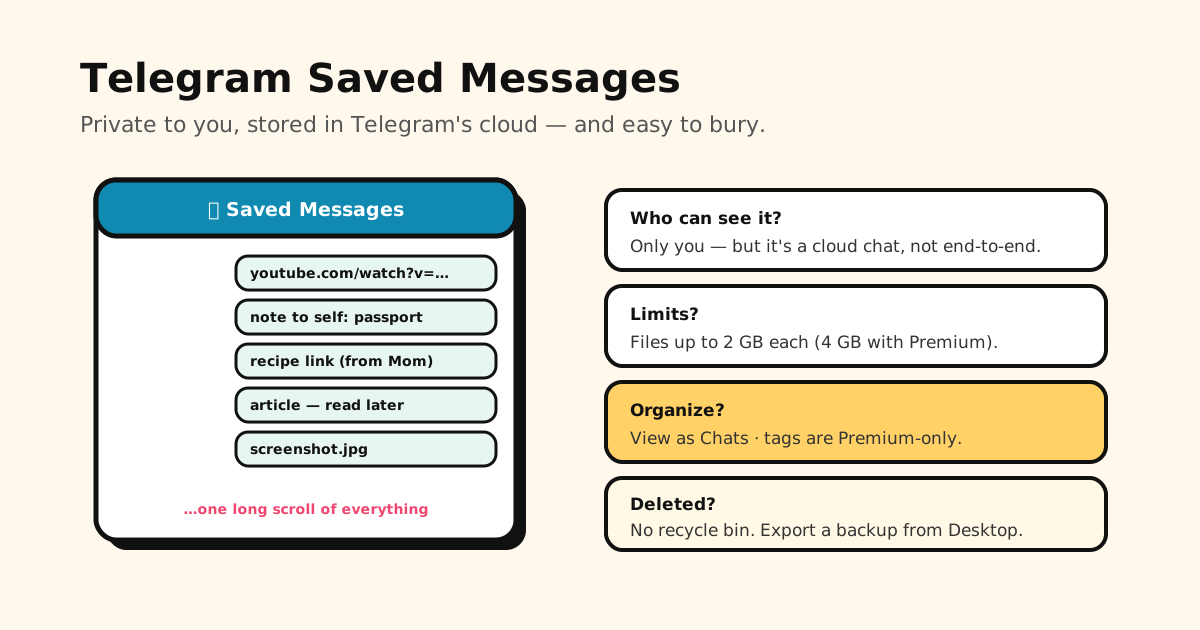
Quick answer: Saved Messages is a private chat with yourself — only you can see it. It lives in Telegram’s cloud, so it syncs to every device you’re signed in on, but it is not end-to-end encrypted (only Secret Chats are). Files can be up to 2 GB each (4 GB with Premium). If your saves seem to have vanished, the view has probably switched to View as Chats — switch back with View as Messages.
Here’s everything people ask about it, plus how to keep it from turning into a bottomless scroll.
Where to find Saved Messages
- Anywhere: type Saved Messages into the search bar at the top of your chat list.
- iPhone: it’s also in the Settings tab.
- Android and Telegram Desktop: open the ☰ menu → Saved Messages.
To save something, forward any message to it, or share a link from another app to Telegram and pick Saved Messages as the chat.
Who can see your Saved Messages?
Only you. It’s a chat with yourself: nobody you message can see it, and it doesn’t appear on your profile. The one other party with access to the data is Telegram, because Saved Messages is a cloud chat stored on its servers.
Are Saved Messages encrypted?
Yes, but not end-to-end. Telegram’s FAQ says cloud chats use server-client encryption, while Secret Chats add client-to-client (end-to-end) encryption and stay on one device. Saved Messages is a cloud chat — that’s exactly why it shows up on your phone, tablet and computer at once. If something is truly sensitive, a cloud chat isn’t the place for it.
How much can you store?
Telegram doesn’t publish a limit on how much you keep in its cloud, and it describes keeping your media there instead of on your phone. The limit that does apply is per file: up to 2 GB, or 4 GB with Telegram Premium.
How to organize Saved Messages
Since the Saved Messages 2.0 update in 2024, you have a few more tools than one endless timeline:
- View as Chats groups your saves by the private chat, group or channel they were forwarded from. You can pin those chats in the order you like. View as Messages brings back the single timeline. Switch by tapping the title, or via the ⋮ / ⋯ menu.
- A Saved tab inside each chat’s shared media shows everything you’ve saved from that conversation.
- Tags (Premium only): emoji-based labels you add like a reaction, which you can name and then filter by in search.
- Search works across the text of your saves for everyone.
Without Premium, the realistic system is: forward things in as you find them, use search to dig them out, and accept that links, notes, photos and voice memos all share one stream.
Why your Saved Messages “disappeared”
Before you panic:
- Check the view. If it’s set to View as Chats, you’ll see a list of chats instead of your messages. Choose View as Messages.
- Check the account. Telegram supports several accounts in one app — each has its own Saved Messages.
- Check the original. A forwarded message is a copy, so it stays even if the original is deleted in its chat — but anything you delete from Saved Messages is deleted from the cloud.
Can you recover deleted Saved Messages?
Telegram has no recycle bin for messages. Once a deletion goes through, it’s gone from the cloud, and the only copy left is one you made yourself. That’s the argument for a backup.
How to back up (export) Saved Messages
Exporting only works in Telegram Desktop, not the phone apps:
- Open Saved Messages in Telegram Desktop.
- Open the ⋮ menu → Export chat history.
- Choose what to include (photos, files, voice messages…) and the format — HTML to read, or JSON for machines.
For everything at once, use Settings → Advanced → Export Telegram data.
When Saved Messages becomes your link dump
A lot of people use Saved Messages as a bookmark tool: forward yourself the article, the recipe, the video, the shop page. It works — until there are hundreds of them. Links sit between notes and screenshots, nothing has a folder unless you pay for tags, and finding that one recipe means scrolling or guessing a word from it.
If your Saved Messages is mostly links, Tuckii is the tidier home for them:
- Share straight from Telegram (or any app) to Tuckii — the link arrives with its title and preview.
- Collections like Recipes or Read later, plus search that checks titles, descriptions and your own notes.
- No account — your library stays on your phone. That’s the trade-off versus Telegram: more private, but no Windows or web app (with Pro, iPhone, iPad and Mac can sync through your own iCloud).
- Free for everyday saving; an optional Pro upgrade adds tags, sharing and backup.
Keep Telegram for chatting and quick notes to yourself; give your links a place that’s built for finding them again.
Turn your link dump into a library
Share links from Telegram or any app to Tuckii, sort them into collections, and find any of them in seconds. No account needed.
Download Tuckii free →Saving from more than Telegram? Here’s how to save links from TikTok, Instagram and any app, and how Reddit’s saved posts compare. On LINE instead? LINE Keep Memo is its version of a chat with yourself. Picking a dedicated tool? See the best app for saving links.